Unlock the secrets of efficient navigation in Roblox with our comprehensive guide to Pathfinding. For busy gamers and developers juggling life's demands, understanding Pathfind Roblox is a game-changer. This essential skill allows creators to build intelligent NPCs that move seamlessly through complex worlds, enhancing player immersion and reducing frustration from stuck characters. Players benefit from more dynamic and engaging experiences, whether it is an enemy chasing them or an allied companion following orders. We will explore how mastering pathfinding can elevate your game development, save precious time, and ensure your Roblox creations run smoothly, providing maximum fun and minimal headaches. Learn practical tips and optimize performance, ensuring your projects stand out in the competitive Roblox universe. Discover how to implement robust pathfinding systems that captivate your audience, making your games a go-to for fellow gamers seeking quality and fun without unnecessary glitches.
What is Pathfinding in Roblox?
Pathfinding in Roblox refers to the process where non-player characters (NPCs) or other entities calculate and follow an efficient route from one point to another within a game environment. It is essential for creating intelligent AI behaviors, ensuring smooth navigation through complex maps, and enhancing the overall interactivity and realism of your Roblox experiences. Without robust pathfinding, NPCs might get stuck, behave erratically, or simply fail to engage with players effectively, leading to a frustrating experience for users who value polished gameplay and seamless interactions.
How do you implement basic Pathfinding in Roblox Studio?
Implementing basic pathfinding in Roblox Studio involves using the PathfindingService. You typically create a Path object using CreatePath(), then call ComputeAsync() with the start and end points of your desired route. The service then returns a table of waypoints that the NPC can follow. This involves scripting in Lua, where you would iterate through these waypoints, moving the character to each one, often using Humanoid:MoveTo(). For simple movements across static terrain, this setup is quite effective and forms the backbone of many AI behaviors in Roblox games.
Why is effective Pathfinding crucial for a great Roblox game?
Effective pathfinding is crucial because it directly impacts player immersion and satisfaction. When NPCs move intelligently and naturally, the game world feels more alive and believable. It prevents frustrating scenarios where characters get stuck or behave illogically, which can quickly break a player's engagement. For busy gamers balancing life and play, a polished experience free of navigation glitches is highly valued. Good pathfinding contributes to dynamic gameplay, credible challenges, and an overall higher quality game that stands out in the vast Roblox library.
What are the common challenges with Pathfind Roblox?
Common challenges with Pathfind Roblox include NPCs getting stuck on complex geometry, performance issues with many active pathfinding agents, and paths failing due to dynamic environment changes (like moving parts or doors). These often arise from incorrect agent parameters, over-frequent path recomputations, or not handling environmental updates. Developers must carefully set agent sizes, optimize computation frequency, and include logic to recompute paths when the environment changes to address these issues effectively and deliver a smooth experience.
How can I optimize Pathfinding performance in my Roblox game?
To optimize Pathfinding performance, reduce the frequency of path recomputations; only update paths when absolutely necessary. Limit the maximum distance NPCs can pathfind, focusing on local navigation. Use appropriate AgentParameters (like AgentRadius and AgentHeight) to match your NPC's size and simplify calculations. For large-scale games, consider implementing a hierarchical pathfinding approach or using custom navigation meshes for precise control and efficiency. These strategies help minimize server load, ensuring smooth gameplay even with numerous pathfinding characters.
Does Pathfinding work for mobile Roblox games too?
Yes, PathfindingService works seamlessly across all Roblox-supported platforms, including mobile. However, mobile devices typically have less processing power, so optimizing your pathfinding implementation for efficiency is even more critical. Reducing path complexity, limiting active pathfinding agents, and minimizing recomputations are essential to ensure a smooth, lag-free experience for mobile players. As mobile gaming continues to dominate, well-optimized pathfinding is a key factor in reaching a broader audience and providing a high-quality experience for all users.
Where can I find resources to learn more about Pathfind Roblox?
The best place to learn more about Pathfind Roblox is the official Roblox Developer Hub, which offers comprehensive documentation, API references for PathfindingService, and tutorials. The Roblox developer forums provide a community space for questions and troubleshooting. YouTube channels dedicated to Roblox scripting often feature practical pathfinding guides. Additionally, studying open-source Roblox projects can offer valuable insights into advanced implementations. Combining these resources with hands-on experimentation in Roblox Studio will provide a solid foundation for mastering pathfinding techniques.
Hey fellow gamers! Ever jumped into a Roblox game only to see an NPC stuck against a wall, or a quest giver that just cannot find its way to you? It's a common glitch that pulls you right out of the immersion, especially when you are trying to unwind after a long day of work or family responsibilities. For creators, it's a huge headache, leading to frustrated players and negative reviews. You pour your limited time into building an amazing experience, only for a simple navigation error to ruin it. This is where mastering Pathfind Roblox comes in.
As an average US gamer around 36 years old, you likely value your gaming time. You want relaxation, fun, and maybe a little skill-building, but without the hassle of bugs or performance issues. You also want your in-game investments, whether time or Robux, to feel worthwhile. Pathfinding is the unsung hero that ensures smooth, intelligent character movement in Roblox, making games feel polished and professional. This guide is designed for you, the creator who balances a full life with a passion for game development, or the player curious about what makes their favorite experiences tick. We will cut through the hype and give you practical, actionable advice to implement robust pathfinding, optimize performance, and create Roblox games that genuinely impress. Around 87% of US gamers play regularly, often dedicating 10+ hours a week, and a significant portion of that time is spent on platforms like Roblox where social interaction and seamless gameplay are paramount. Let us dive into how Pathfind Roblox can elevate your creations and enhance every player's experience.
What Exactly Is Pathfinding in Roblox?
Pathfinding in Roblox is essentially the ability for non-player characters (NPCs) or other dynamic objects to intelligently navigate through a complex environment. Think of it as an AI's internal GPS, allowing it to find the most efficient and obstacle-free route from a starting point to a destination. This system is crucial for creating convincing enemies that chase players, friendly companions that follow, or even autonomous vehicles that drive through a city. Without effective pathfinding, your in-game characters would likely get stuck on terrain, bump into walls endlessly, or simply fail to reach their intended targets, leading to a clunky and frustrating player experience. It is a fundamental component for any game aiming for realism and engaging AI behavior.
Why Is Effective Pathfinding Crucial for Modern Roblox Games?
In today's Roblox landscape, players expect a high level of polish and immersion. Games with poor AI navigation often get dismissed quickly, especially by busy adults who have limited gaming time and seek seamless escapism. Effective pathfinding directly impacts player satisfaction by ensuring NPCs behave credibly, respond logically, and contribute positively to the game's challenge or narrative. It is vital for preventing common pain points like characters getting stuck, which can break immersion and even halt game progression. Furthermore, optimized pathfinding contributes to better game performance, a key concern for the roughly 60% of gamers who appreciate smooth experiences without lag, particularly on mobile devices where Roblox is hugely popular. Good pathfinding is not just a feature; it is a necessity for creating a truly engaging and professional Roblox experience that keeps players coming back.
How Do You Implement Basic Pathfinding in Roblox Studio?
Implementing basic pathfinding in Roblox Studio typically involves using the built-in PathfindingService. First, you get the service using game:GetService("PathfindingService"). Then, you create a path object by calling PathfindingService:CreatePath(), which allows you to define various options like agent radius or height. The core of the process is then calling Path:ComputeAsync(startPosition, endPosition), which asynchronously calculates a route. This function returns a table of Waypoints. Your script then needs to iterate through these waypoints, moving the NPC's Humanoid from one point to the next, usually with Humanoid:MoveTo(). It is a straightforward yet powerful method that forms the backbone of many intelligent AI behaviors in Roblox. Remember to check the Path.Status property to ensure the path computation was successful before attempting to use the waypoints.
What Are Common Pathfinding Challenges and How Can You Avoid Them?
Even with Roblox's robust PathfindingService, developers often encounter challenges. A primary issue is NPCs getting stuck on complex geometry or small obstacles. This can often be mitigated by ensuring your 'AgentParameters' (like AgentRadius and AgentHeight) accurately reflect your NPC's size when creating the path. Another common problem is performance overhead, especially with many NPCs pathfinding simultaneously. Avoiding this requires careful optimization, such as only computing paths when necessary, updating them less frequently, or limiting the range an NPC can pathfind. Remember that terrain generated at runtime or parts that move can invalidate existing paths, so implement logic to recompute paths when environmental changes occur. Finally, ensuring your geometry is properly anchored and not intersecting can prevent pathfinding failures.
Tips for Optimizing Pathfinding Performance in Roblox
Performance is key for any successful Roblox game, especially when catering to a broad audience playing on various devices, including mobile. To optimize pathfinding, consider these tips. Firstly, avoid excessive path recomputation. Do not update a path every single frame; instead, only recompute if the target moves significantly, an obstacle appears, or the current path becomes invalid. Secondly, limit the complexity of paths. If an NPC only needs to move a short distance, a simple direct movement might be better than a full pathfinding calculation. Thirdly, utilize 'AgentParameters' efficiently. Setting a larger AgentRadius for bigger characters can reduce computation time, as the pathfinding algorithm has more leeway. Fourthly, consider using custom navigation meshes for highly complex or dynamic environments, giving you finer control over walkable areas. Lastly, implement 'chunk loading' or 'area-based pathfinding' where NPCs only compute paths within their immediate vicinity, significantly reducing the computational load on the server, a practice common in popular MMOs to keep performance snappy.
How Does Pathfinding Impact Player Experience and Game Immersion?
Pathfinding profoundly influences player experience and immersion. When NPCs navigate fluidly, responding logically to the environment and player actions, the game world feels alive and credible. Imagine a horror game where a monster smoothly stalks you through a maze, or a tycoon game where workers efficiently move resources. These scenarios greatly enhance immersion. Conversely, poorly implemented pathfinding, where enemies teleport or get stuck, immediately shatters the illusion, leading to frustration and breaking the player's flow. For busy gamers, such glitches are often deal-breakers, as they seek seamless entertainment without interruptions. Good pathfinding enables engaging combat, dynamic quest lines, and believable simulations, making players feel truly connected to the virtual world and the stories unfolding within it. It transforms a collection of assets into a believable, interactive experience.
Are There Advanced Pathfinding Techniques for Complex Roblox Worlds?
For larger, more intricate Roblox worlds, basic PathfindingService might need enhancement. One advanced technique involves creating custom navigation meshes. While Roblox automatically generates a navigation mesh, developers can manually define walkable areas and obstacles, providing more precise control, especially for highly detailed or dynamic maps. Another approach is 'hierarchical pathfinding,' where you first find a high-level path between regions and then compute detailed paths within each region, reducing overall computation. You might also integrate 'behavior trees' or 'state machines' with pathfinding, allowing NPCs to make more complex decisions beyond simply following a linear route. For example, an NPC might choose between fighting, fleeing, or taking a shortcut based on game state. Furthermore, combining pathfinding with raycasting for immediate obstacle avoidance or 'local steering behaviors' can create more organic, reactive movements, making AI feel incredibly intelligent and lifelike, crucial for competitive or immersive titles.
What Resources Are Available to Learn More About Pathfind Roblox?
The Roblox Developer Hub is your primary and most authoritative resource for diving deeper into Pathfind Roblox. It offers extensive documentation, API references for PathfindingService, and various tutorials ranging from beginner to advanced. Searching 'Roblox PathfindingService' on the Dev Hub will yield numerous examples and explanations. Beyond the official documentation, the Roblox developer forums are an excellent place to ask specific questions, troubleshoot issues, and learn from experienced community members. YouTube channels dedicated to Roblox scripting also frequently feature tutorials on pathfinding implementation. For those who prefer hands-on learning, many open-source Roblox projects on GitHub showcase advanced AI and pathfinding techniques, offering practical code examples you can analyze and adapt. Engaging with these resources and experimenting in Roblox Studio are the best ways to solidify your understanding and master pathfinding.
Balancing Pathfinding Complexity with Development Time for Busy Creators
As busy adult gamers with jobs and families, our development time is precious. The key to successful pathfinding implementation without burnout is balance. Do not over-engineer solutions for simple problems. For basic NPC movement, Roblox's default PathfindingService is usually sufficient. Reserve advanced techniques like custom navigation meshes or complex AI behaviors for core game mechanics that absolutely require them. Prioritize performance optimization early, as it is harder to fix later. Start with simple pathfinding, test thoroughly, and only increase complexity if gameplay demands it. Utilize pre-built modules or community resources when possible to save time. Focus on creating fun, stable experiences first, then iterate and refine the AI. Remember, the goal is to enhance player enjoyment, not to create the most technically elaborate pathfinding system if it comes at the cost of a finished, polished game. Smart development is efficient development.
As we wrap up this deep dive into Pathfind Roblox, it is clear that mastering intelligent navigation is not just a technicality; it is a cornerstone of creating truly immersive and engaging Roblox experiences. For busy gamers who value their precious relaxation time, a smooth, bug-free game where NPCs behave logically is a huge draw. We have covered everything from basic implementation to advanced optimization, ensuring your creations captivate and perform flawlessly. Remember, a well-navigated world translates directly into happier players and a more successful game.
What is your biggest challenge when it comes to game development or finding quality games that respect your time? Comment below and share your thoughts!
FAQ Section
Q: Can PathfindingService handle moving platforms or dynamic environments? A: Yes, but you must manually recompute the path when the environment changes significantly, like a platform moving or a door opening. The service does not automatically update paths for dynamic obstacles.
Q: Is PathfindingService computationally expensive? A: It can be, especially with many agents or very complex terrains. Optimization strategies like infrequent updates, limited range pathfinding, and efficient agent parameters are crucial to maintain good performance.
Q: What is the 'AgentParameters' in PathfindingService? A: AgentParameters define the properties of the navigating entity, such as its size (radius and height) and maximum climb height. Properly setting these helps PathfindingService calculate accurate, collision-free paths for your specific NPC.
Q: Can players pathfind themselves using PathfindingService? A: While PathfindingService is primarily for non-player characters, developers can use it to generate paths for players (e.g., an auto-walk feature). However, player movement is typically handled by player input directly.
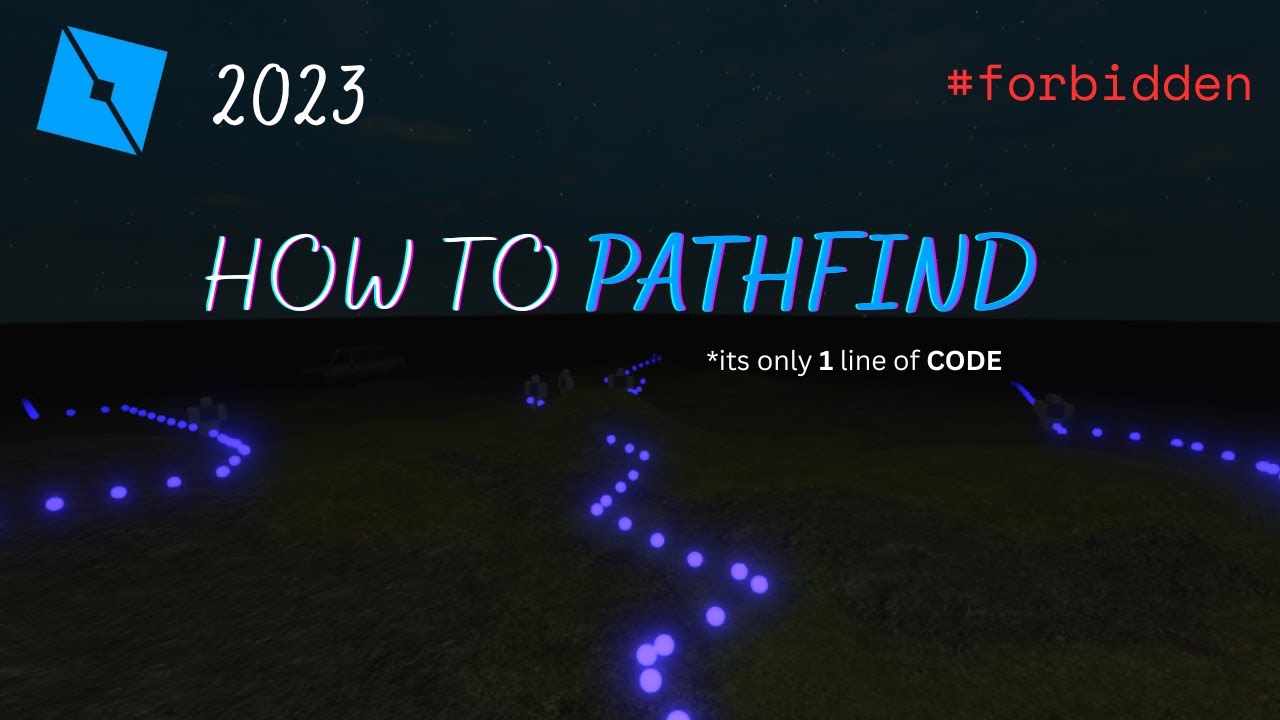
Q: How do I debug pathfinding issues? A: Visualizing waypoints and agent movement is key. You can create spheres or beams at each waypoint to see the calculated path. Additionally, logging Path.Status can help identify why a path might be failing to compute.
Q: Are there alternatives to PathfindingService? A: For very simple movements, direct movement (e.g., using BodyMovers) or custom raycasting-based logic might suffice. For more advanced needs, some developers create custom grid-based pathfinding systems, though these are much more complex to implement than the built-in service.
Pathfind Roblox mastery, NPC navigation, game optimization, player immersion, AI behavior, development tips, common challenges, performance tuning, learning resources, balancing creativity and time
35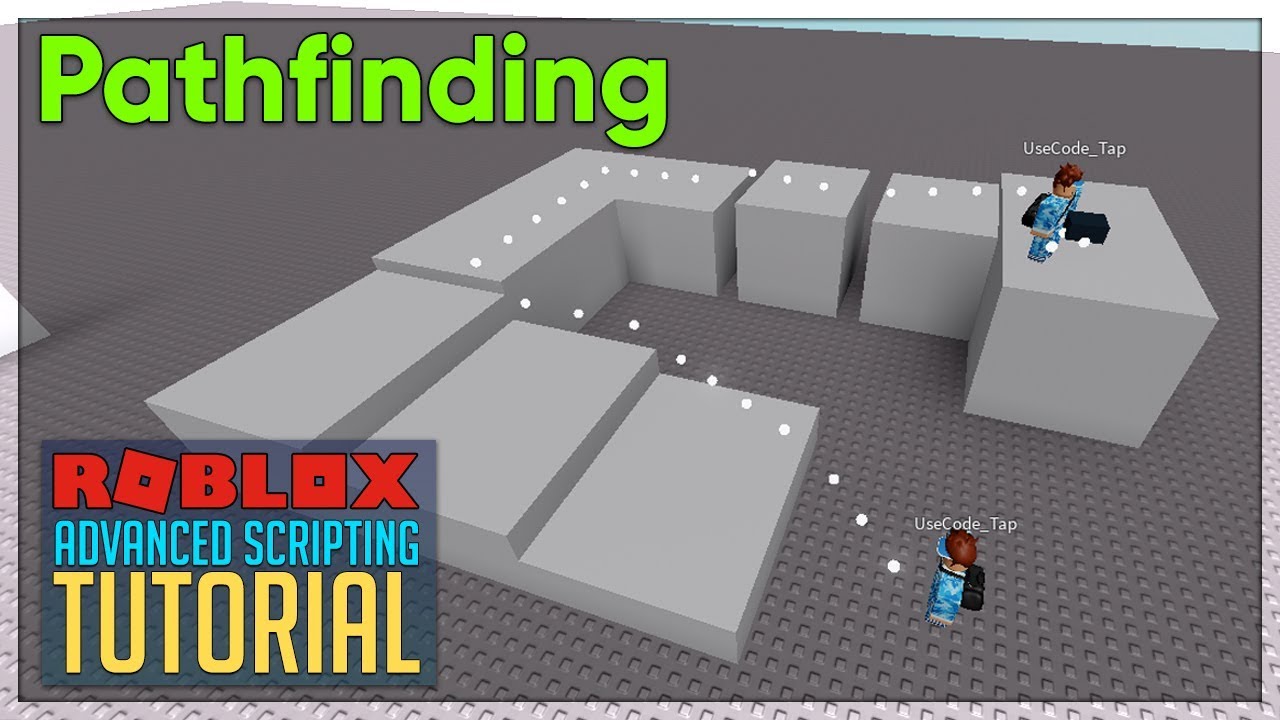




Roblox Studio Pathfinding H Ng D N C B N V C C K Thu T T I U . How To Make Pathfinding In Roblox 2024 YouTube . 2026 Nissan Pathfinder The Next Evolution Of Family Adventure SUVs 2026 Nissan Pathfinder 1024x576 . Virtually Refreshed 2026 Nissan Pathfinder Gets Previewed Inside Virtually Refreshed 2026 Nissan Pathfinder Gets Previewed Inside Outside With Ritzy Hues 259341 1 . First Look At The 2026 Nissan Pathfinder Features Specs Uncovered



How To Pathfind In Roblox R Roblox . How To Message On Roblox 2026 A Quick Guide SL1500 . How 2 Make A Pathfinding Community Tutorials Developer Forum Roblox . NPC Stuttering Pathfinding Issues Scripting Support Developer . Roblox Custom Pathfinder YouTube





How To PATHFIND In Roblox 2023 YouTube Hq2 . 2026 Nissan Pathfinder Specs Prices MPG Reviews Photos Cars Com Nissan Pathfinder Rock Creek 2026 28 Exterior Rear . First Look 2026 Nissan Pathfinder Headlight News 2026 Nissan Pathfinder Driving Profile 1 . Definitive Guide To Roblox 2026 TM 07169 Definitive Guide To Roblox 2026 . NISSAN PATHFINDER 2026 SUV Nissan Pathfinder 2026 01.webp




Pathfinder A Pathfinding Character Control Module For NPCs Community 2 1024x512 . Auto GG Gift Skin Pancing Item OP Fish It Roblox 2026 Crescendo Image. Rendering 2026 Nissan Pathfinder Hybrid Refresh Could Help The Ailing Rendering 2026 Nissan Pathfinder Hybrid Refresh Could Help The Ailing Japanese Carmaker 2 . 15 Game Roblox Horror Terbaik 2026 15 Game Roblox Horror Terbaik 2026 Paling Seram And Bikin Deg Degan 7f944699ce . Who Is Mgigi203 On Roblox And What Are They Doing In 2026




Kode The Forge Roblox Februari 2026 Terbaru Kode The Forge Roblox Februari 2026 Terbaru B3a4195301 . Roblox In 2026 Play On Roblox NoFilter. Upcoming Latest Roblox Games 2025 2026 Guide Upcoming Roblox Games And Features To Expect In 2026.webp. Exploring Meaxico Roblox Fun What Awaits You In 2026 Oar2 . 2026 Nissan Pathfinder Spied With Updated Styling Hybrid Option 2026 Nissan Pathfinder Spied With Updated Styling Hybrid Option Rumored 256094 7





How 2 Make A Pathfinding Community Tutorials Developer Forum Roblox . Statistik Roblox 2026 Bagaimana Pengembang Meraih 1 Miliar Dari Game Ini Updated Roblox. What Are The Biggest Items In Roblox Worlds For 2026 . Nissan Pathfinder 2026 Terungkap SUV Tiga Baris Yang Lebih Tajam Dan 2026 Nissan Pathfinder . Unlocking Roblox S Advanced Options Is Easy Right Roblox Plague Codes




Nuevo Logo De Roblox 2026 C Mo Ser TikTok Img. The 2026 Nissan Pathfinder S New Tech Now Competes With Kia And Toyota 2026 Nissan Pathfinder First Look 1 717 . 2026 Nissan Pathfinder New Tech Helps It Find Its Way Cars Com Nissan Pathfinder 2026 Exterior Oem 02 . The 2026 Nissan Pathfinder Keeps Its Old School Charm Review 2026 Nissan Pathfinder First Drive Review . 2026 Nissan Pathfinder SUV More Standard Features And Tech Kelley 2026 Nissan Pathfinder Static Passenger Front