Why am I laggy in Roblox? This comprehensive 2026 guide provides essential solutions for every US gamer struggling with Roblox performance issues. From optimizing your internet connection and device settings to understanding Roblox specific limitations and in-game adjustments, we cover it all. Discover practical tips to reduce latency, prevent stuttering, and ensure smoother gameplay, whether you are on a PC, mobile, or console. We delve into common culprits like outdated drivers, background applications, and server-side problems, offering clear, actionable steps to get you back into your favorite experiences without frustration. Learn how to maintain peak performance and enjoy Roblox as it was meant to be played, connecting with friends and exploring new worlds without the constant annoyance of lag. This article is tailored for the average gamer balancing life and leisure, providing efficient fixes that save time and enhance your fun.
Why is my Roblox game suddenly so laggy when it used to run fine?
Roblox lag can creep up unexpectedly due to several factors changing in your system or network. It might be a recent update to your operating system or graphics driver that introduced an incompatibility, new background applications consuming resources, or even increased network congestion from other devices in your household. Sometimes, a specific Roblox experience might have updated with more demanding graphics or scripts, causing older hardware to struggle. Regularly checking system updates and closing unnecessary apps before playing can often resolve these sudden performance drops, getting you back to smooth gameplay quickly.
How can I check my current ping to Roblox servers?
While Roblox doesn't have an easily accessible in-game ping display for all experiences, you can often approximate it or use external tools. For a general network ping, open your Command Prompt (Windows) or Terminal (macOS) and type "ping google.com" or "ping roblox.com". This gives you a general idea of your network latency. Some specific Roblox experiences might have developer-created stats overlays that show ping. For a more direct approach, tools like PingPlotter can show detailed route analysis to Roblox servers, pinpointing where latency might be occurring in your network path.
Will upgrading my internet speed fix my Roblox lag issues?
Upgrading your internet speed can help if your current bandwidth is genuinely insufficient for online gaming or if multiple users are saturating your connection. However, speed isn't the only factor. If your lag is due to high ping (latency), an unstable Wi-Fi signal, or server-side issues, simply increasing your download/upload speed might not solve the problem. High speed with poor stability is still bad for gaming. Focus first on connection stability, reducing Wi-Fi interference, and using a wired connection before investing in a speed upgrade.
What is the best graphics setting for Roblox to prevent lag on a low-end PC?
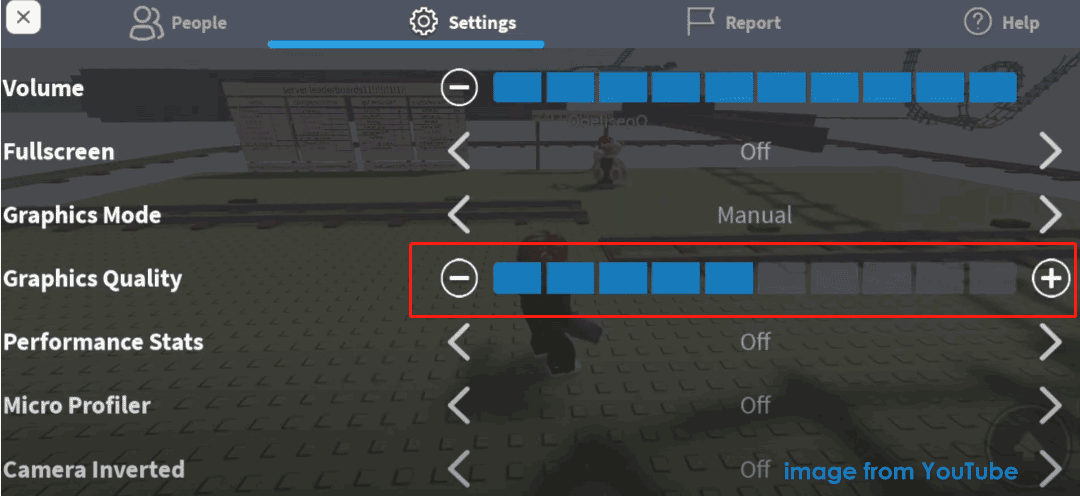
For a low-end PC, the best graphics setting in Roblox to prevent lag is typically the lowest possible. Go into the Roblox in-game settings (usually accessible via the Escape key), set the Graphics Mode to "Manual," and drag the "Graphics Quality" slider all the way to the left (the lowest setting). This drastically reduces the visual fidelity and complexity that your PC needs to render, leading to significantly improved frame rates and smoother gameplay. While it might not look as pretty, it prioritizes playability, which is key for enjoying your limited gaming time.
Does using a cleaning software or game booster actually help with Roblox lag?
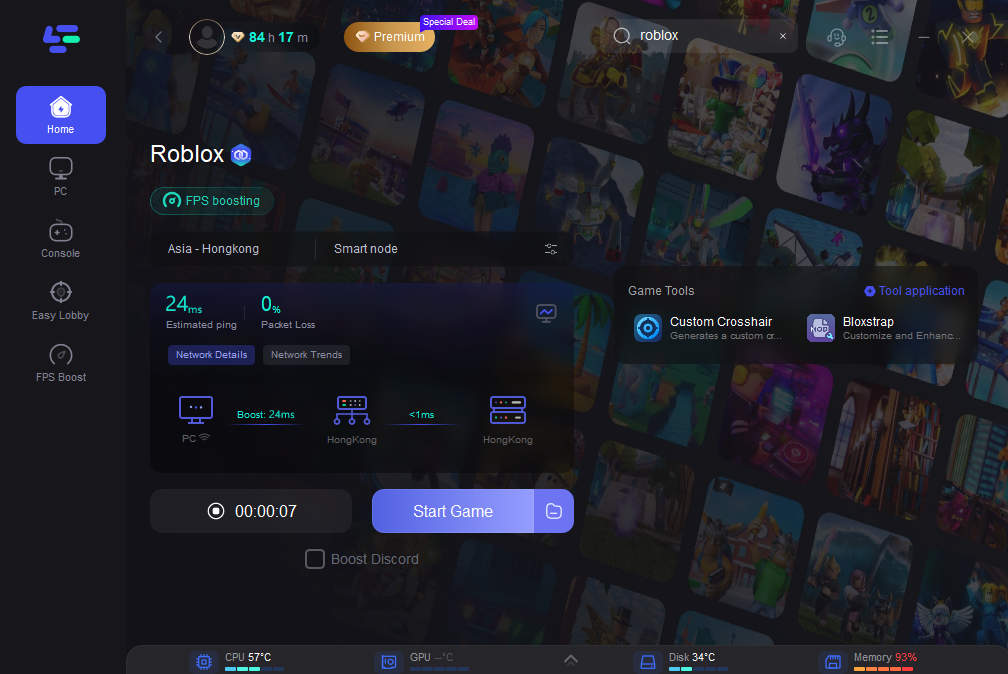
While some cleaning software can free up disk space and remove temporary files, their impact on real-time game lag is often minimal. "Game boosters" claim to optimize your system by closing background processes, but you can usually achieve the same effect manually through Task Manager (Windows) or Activity Monitor (macOS) with more control. Be cautious of overly aggressive software that might close essential processes or install unwanted programs. A well-maintained operating system and manual management of background apps are generally more effective and safer than relying on third-party boosters.
Why does Roblox sometimes lag more in specific games or experiences than others?
Roblox experiences vary wildly in their technical demands. Some games are created with highly complex scripting, detailed 3D models, extensive physics simulations, or a large number of concurrent players, all of which require more processing power from both your device and the Roblox servers. Simpler, older, or less graphically intense games will naturally run smoother. If you experience lag only in certain games, it is likely those specific experiences are more resource-intensive, making your hardware or internet struggle to keep up with their demands.
Can Roblox itself be bugged or have performance issues causing my lag?
Yes, Roblox is a constantly evolving platform, and occasionally updates or server-side issues can introduce bugs or performance problems that affect a wide range of users. These are typically temporary and are often addressed by the Roblox development team. If you have tried all client-side troubleshooting and confirmed your internet is stable, checking the official Roblox Status page, their social media (like X, formerly Twitter), or community forums for widespread reports can confirm if the issue is on their end. Waiting for a fix or trying a different server might be the only solution in such cases.
Ever jump into your favorite Roblox experience, ready to unwind after a long day, only to be met with frustrating stuttering and delays? You are not alone. For many US gamers, balancing work, family, and a love for gaming means every precious minute of play counts. Nothing sours that experience faster than asking, "why am I laggy in Roblox?" It can turn a fun social session or an intense skill-building challenge into a chore.
In 2026, with over 87 percent of US gamers regularly enjoying their passion and an average of 10 plus hours spent gaming weekly, performance issues are more than just an inconvenience; they cut into valuable relaxation time. Roblox, a platform celebrated for its vast creative worlds and social interactions, is often played across various devices, including mobile where its dominance is significant. This means optimizing your setup is crucial, especially when you are looking for that perfect blend of fun, performance, and value without getting swept up in hype.
This guide is crafted specifically for you, the busy adult gamer who wants practical, no-nonsense solutions. We will dive deep into the common causes of Roblox lag, from your internet connection to in-game settings and even your device's hardware. Our goal is to provide clear, actionable steps to troubleshoot and fix your Roblox lag, helping you reclaim your smooth, enjoyable gaming experience. Say goodbye to frustrating frame drops and hello to seamless adventures with friends. Let us get your game running smoothly so you can focus on what truly matters: having fun and making connections.
Why am I experiencing lag in Roblox right now?
Lag in Roblox can stem from several sources, often a combination of them. The primary culprits typically fall into categories like your internet connection, your device's hardware limitations, too many background applications, outdated software or drivers, and even server-side issues with Roblox itself. Understanding which category is affecting you most is the first step to finding a solution. It is a common pain point for gamers balancing busy lives, and identifying the root cause efficiently saves you time and frustration.
How can my internet connection cause Roblox lag?
Your internet connection is a major factor in Roblox lag. A slow or unstable Wi-Fi signal, high ping, or insufficient bandwidth can all contribute. Roblox, like many online games, relies on a steady connection to communicate with its servers. If your connection is inconsistent, data packets get delayed, leading to noticeable lag. This is especially true for mobile gamers who might experience fluctuating signals. Around 87 percent of US gamers regularly engage in online play, highlighting the critical role of network stability.
- Weak Wi-Fi Signal: Distance from your router or obstructions can degrade your signal.
- High Ping/Latency: This measures the time it takes for data to travel to and from the server. A high ping means more delay.
- Bandwidth Saturation: Other devices on your network streaming video or downloading large files can hog bandwidth.
- Outdated Router: Older routers may not efficiently handle modern internet speeds.
What device settings should I check to reduce Roblox lag?
Optimizing your device settings can make a significant difference. Regardless if you are on a PC, Mac, or mobile device, a few tweaks can free up resources. For PC gamers, ensuring your graphics drivers are current is essential. For mobile users, closing unnecessary apps and clearing cache can improve performance. Many gamers, especially those around age 36, appreciate quick, effective solutions that do not require extensive technical knowledge.
- Graphics Quality: Lowering Roblox's in-game graphics settings is often the quickest fix.
- Background Apps: Close any applications running in the background that consume CPU, RAM, or network resources.
- Game Mode: Enable Windows Game Mode or similar features on other OS to prioritize gaming resources.
- Device Overheating: Ensure your device has adequate ventilation; overheating can throttle performance.
Are my device's hardware specifications impacting Roblox performance?
Yes, your device's hardware plays a crucial role. While Roblox is generally accessible on many systems, demanding experiences or older hardware can struggle. An insufficient processor (CPU), limited RAM, or an integrated graphics card trying to keep up can lead to significant frame drops and lag. For budget-conscious gamers, understanding these limitations helps in making informed decisions about potential upgrades or managing expectations.
Consider the following:
| Component | Impact on Roblox | Recommendation |
| CPU (Processor) | Handles game logic and physics. | Modern multi-core CPU for smoother complex games. |
| RAM (Memory) | Stores active game data. | 8GB or more is ideal for multitasking and intensive games. |
| GPU (Graphics Card) | Renders visuals. | Dedicated GPU for best experience, integrated might suffice for lighter games. |
| Storage (SSD/HDD) | Loads game assets. | SSD significantly reduces loading times. |
How do I know if Roblox servers are the problem, not my setup?
Sometimes, the lag is not on your end. Roblox, being a massive global platform, can experience server-side issues or maintenance. If many players are reporting lag in the same experience or across the platform, it is a strong indicator of a server problem. Check the official Roblox Status page, their social media channels, or community forums like Discord. Gamers often share performance issues in real-time, helping you distinguish between a personal and widespread problem.
What in-game settings can I adjust to optimize Roblox for smoother gameplay?
Roblox provides several in-game settings that can directly impact performance. These adjustments are often the easiest and most effective way to combat lag without touching your system's core settings. Accessing these through the game menu allows for quick changes.
- Graphics Mode: Change from Automatic to Manual and lower the Graphics Quality slider.
- Edit Quality Level: Experiment with lower settings.
- Full-Screen vs. Windowed: Playing in full-screen mode can sometimes dedicate more resources to the game.
- Reduce Player Count: In some games, if you can, choosing servers with fewer players can reduce strain.
Should I update my drivers and operating system regularly for Roblox?
Absolutely. Keeping your graphics drivers, network drivers, and operating system up to date is crucial for optimal gaming performance. Software updates often include performance enhancements, bug fixes, and compatibility improvements that can directly address lag. Outdated drivers are a common cause of unexpected performance dips, especially for gamers who might not have time to constantly monitor system health.
- Graphics Drivers: NVIDIA, AMD, or Intel regularly release driver updates. Check their official websites.
- Network Drivers: Ensure your network adapter drivers are current for stable internet connectivity.
- Operating System: Windows, macOS, Android, and iOS updates often bring system-wide performance boosts.
How can I manage background applications and processes effectively?
Even powerful gaming rigs can suffer from performance issues if too many programs are running simultaneously. Managing background processes is about identifying resource hogs and closing them when you are gaming. This is especially important for gamers who might have multiple applications open for work or family communication throughout the day.
- Task Manager (Windows) or Activity Monitor (macOS): Open to see which applications are consuming CPU, RAM, and network.
- Close Unnecessary Apps: Before launching Roblox, close web browsers, streaming apps, download clients, and anything else you do not need.
- Startup Programs: Disable non-essential programs from launching automatically when your computer starts.
- Antivirus Scans: Schedule full scans for when you are not gaming to avoid performance impact.
What about network troubleshooting tools and practices?
When internet issues are suspected, some basic network troubleshooting can often resolve Roblox lag. These steps are simple but effective, helping you diagnose and potentially fix connectivity problems.
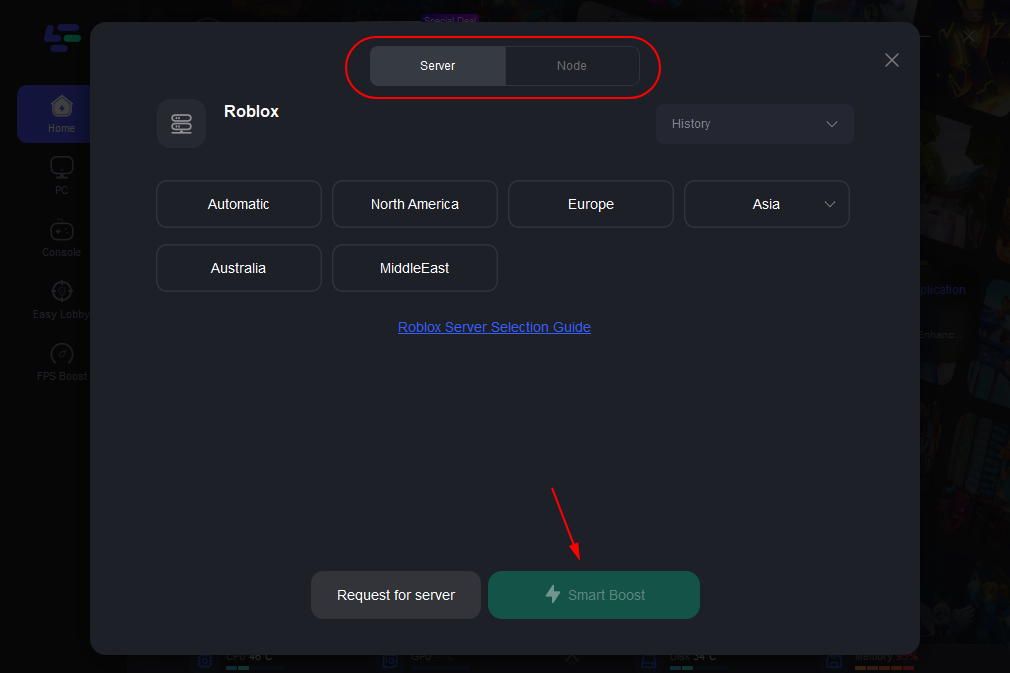
- Restart Your Router/Modem: A classic fix that often resolves minor network glitches.
- Use an Ethernet Cable: If playing on PC, a wired connection is always more stable and faster than Wi-Fi.
- Flush DNS: On Windows, open Command Prompt as admin and type
ipconfig /flushdns. - Contact Your ISP: If issues persist, your Internet Service Provider might need to check your line or equipment.
Does social gaming on Roblox contribute to lag, and how can I optimize it?
While social play is a huge draw for Roblox (and a major trend in 2026), being in crowded servers or large private servers with many friends can sometimes contribute to lag due to the increased data being processed. It is not necessarily the social aspect itself, but the sheer volume of assets and player actions being rendered. Many players around age 36 find social gaming crucial for relaxation and connection.
- Choose Less Populated Servers: If an experience allows, pick a server with fewer players.
- Limit Voice Chat Software: If you are using Discord or similar while playing, ensure its settings are optimized to minimize resource usage.
- Adjust In-Game Settings: Lowering graphics quality will help your device process the high volume of player data more efficiently.
Dealing with "why am I laggy in Roblox" can be a frustrating hurdle, but with the right approach, it is a problem that can almost always be solved. We have covered everything from optimizing your internet connection and device settings to tweaking in-game graphics and understanding when the issue might be on Roblox's end. Remember, a smooth gaming experience allows you to truly relax, connect with friends, and enjoy the vast worlds Roblox offers, without the constant annoyance of performance hiccups. By systematically applying these tips, you can significantly improve your gameplay.
What is your biggest gaming challenge when it comes to performance? Comment below and share your best lag-busting tips with the community!
What is ping and how does it relate to Roblox lag?
Ping is the network latency or delay, measuring how long it takes for data to travel from your device to the Roblox server and back. High ping (measured in milliseconds) means more delay, resulting in noticeable lag like rubber-banding or delayed actions in Roblox.
Can clearing my device's cache help with Roblox lag?
Yes, clearing your device's cache can often help. Over time, cached data can become corrupted or simply accumulate, slowing down applications. Removing old, unnecessary files forces the game to fetch fresh data, potentially resolving performance issues, especially on mobile devices.
Is it better to play Roblox on Wi-Fi or a wired connection?
For the most stable and often fastest connection, a wired Ethernet connection is always superior to Wi-Fi for playing Roblox on a PC or console. Wi-Fi can be prone to interference and signal drops, leading to inconsistent performance and lag.
Does Roblox's graphics quality setting really affect performance that much?
Absolutely. Roblox's graphics quality setting has a direct and significant impact on performance. Lowering this setting reduces the visual detail your device needs to render, demanding less from your GPU and CPU, which can drastically improve frame rates and reduce lag, especially on older or less powerful hardware.
How often should I restart my router to prevent Roblox lag?
It is a good practice to restart your router and modem at least once a month, or whenever you notice persistent network performance issues like lag. This refreshes the network connection and clears any temporary glitches that might accumulate over time.
Can a VPN help or hurt Roblox performance?
A VPN can either help or hurt Roblox performance depending on the specific situation. If your ISP is throttling your connection or routing you inefficiently, a VPN might improve ping. However, if the VPN server is far away or overloaded, it can add extra latency, increasing lag. It is best used for specific issues, not as a general solution.
Optimizing internet and device settings, updating drivers, managing background apps, understanding Roblox server issues, in-game graphic adjustments, network troubleshooting, hardware considerations for budget gaming, balancing life with gaming, social play performance, staying current with Roblox updates.
35


Fix Lag On Roblox Make Roblox Less Laggy PC Laptop YouTube . How To Fix Roblox Lag In 2026 14 Solutions That Work How To Fix Roblox Lag 2 672x375 . How To Fix Laggy Roblox PC Mobile YouTube . How To Fix LAG On Roblox Boost FPS Make Roblox Run Faster 2025 . How To Fix Roblox Lagging On Windows Roblox Lag Issue Roblox Keeps


Roblox Lagging Lets Fix It . 5 Tips How To Fix Being Laggy In Roblox Tutorial Roblox YouTube . How To Fix Lag In Roblox Easy Guide Remove Lag In Roblox YouTube . Roblox Lag Got You Down Lets Fix It . HOW TO FIX The Lag On ROBLOX For PC YouTube


How To FIX ROBLOX LAG Roblox Jailbreak YouTube . Roblox Lagging Lets Fix It Why Is Roblox So Laggy 1 . Why Is Roblox Lagging Here S How To Fix It Fast Dunia Games Optimize Image. How To Fix Roblox Lag Issue Windows 11 10 8 7 Fix Roblox Keeps . Why Is Roblox So Laggy Roblox 2.webp


How To Fix Roblox Lag Issue Windows 11 10 8 7 Fix Roblox Keeps . How To Actually Make Roblox Less Laggy Fix Lag 2024 Guide YouTube . What Causes Lag In Roblox Games At Donna Lahti Blog Roblox Lagging On PC 1 1100x608 . Why Is Roblox So Laggy Roblox 3.webp. Why Is Roblox Lagging On PC How To Make Roblox Less Laggy Roblox Lagging 5



Roblox Lagging Lets Fix It. Why Is Roblox So Laggy YouTube Oar2 . Short Guide How To Reduce Lag On Roblox In 2023 Fix Roblox Lag With Vpn . How To Fix Roblox That S Laggy On Xbox Series X S YouTube . Why Is My Roblox So Laggy Using Mobile 450x251


This Game Has Every Roblox Avatar Why Am I So Laggy YouTube Oar2 . Why Is Roblox So Laggy YouTube . Why Is Roblox So Laggy YouTube . Why Is Roblox So Laggy Reasons Fixes And 4e8c03d8 8443 4de3 A53c . Why Is Roblox So Laggy Quick Fix Hone Blog Why Is Roblox So Laggy Quick Fix


Why Is Roblox So Laggy Roblox 1.webp. Top 99 Roblox Avatar Laggy Ang G Y S T Tr N M Ng . Why Is Roblox So Laggy YouTube Maxres2 . Why Is Roblox So Laggy . Why Is Roblox So Laggy YouTube Hq2