Navigating Roblox support can feel like a maze, especially when you are balancing gaming with a busy life. Many US gamers, averaging around 36 years old and spending over 10 hours a week across various platforms, often hit roadblocks with account issues, billing problems, or technical glitches. This comprehensive guide cuts through the confusion, showing you exactly how to reach Roblox support effectively without endless searching. We understand that finding quick solutions for issues like a lost account, unauthorized purchases, or game performance problems is crucial. This article provides actionable steps and crucial tips to ensure your support request is handled efficiently, getting you back to enjoying Roblox with friends or family. Discover the best official channels, what information to prepare, and how to track your request for a smooth resolution.
How Do I Actually Contact Roblox Support?
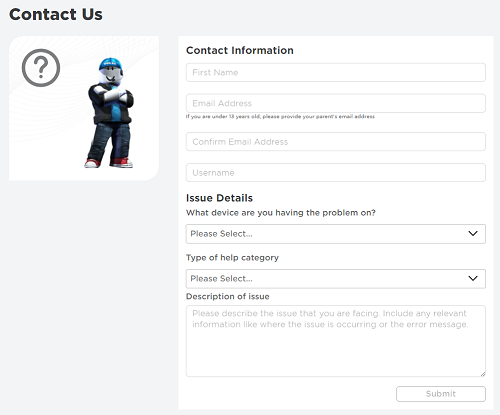
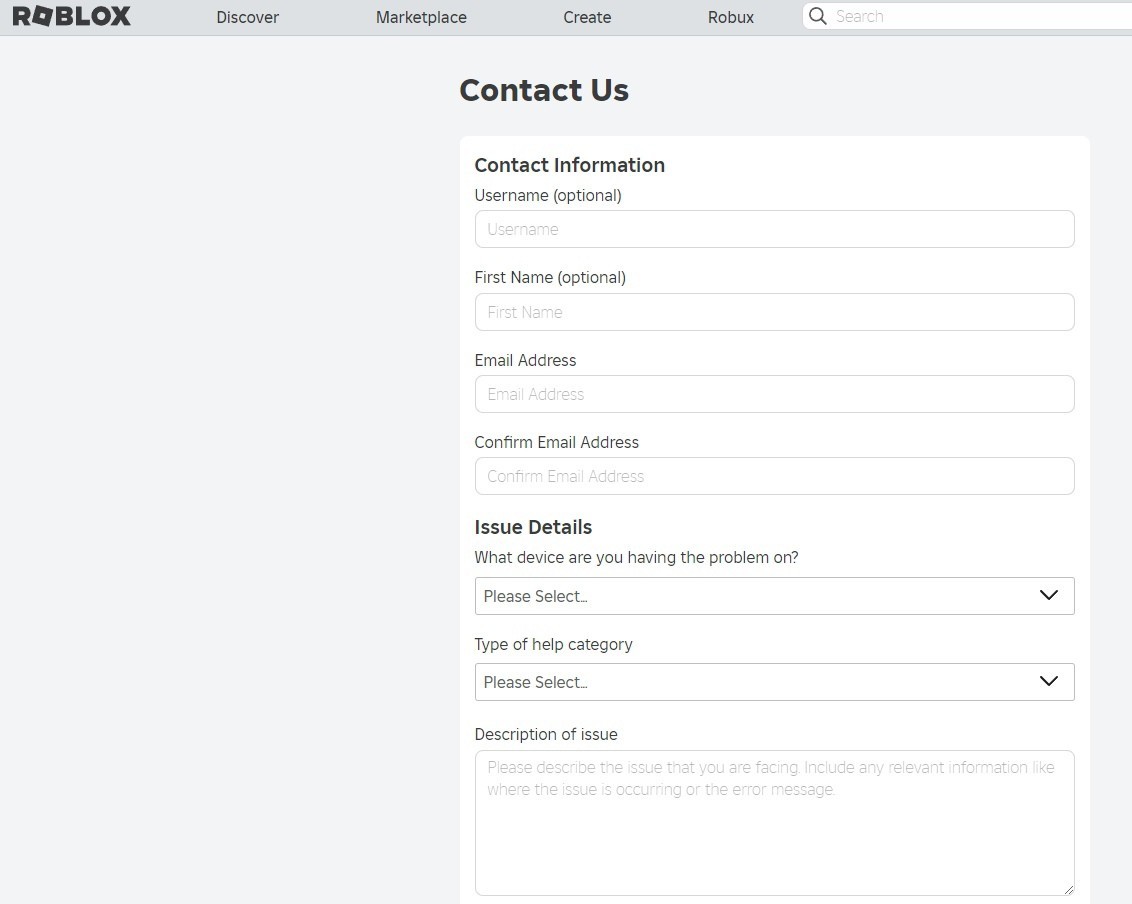
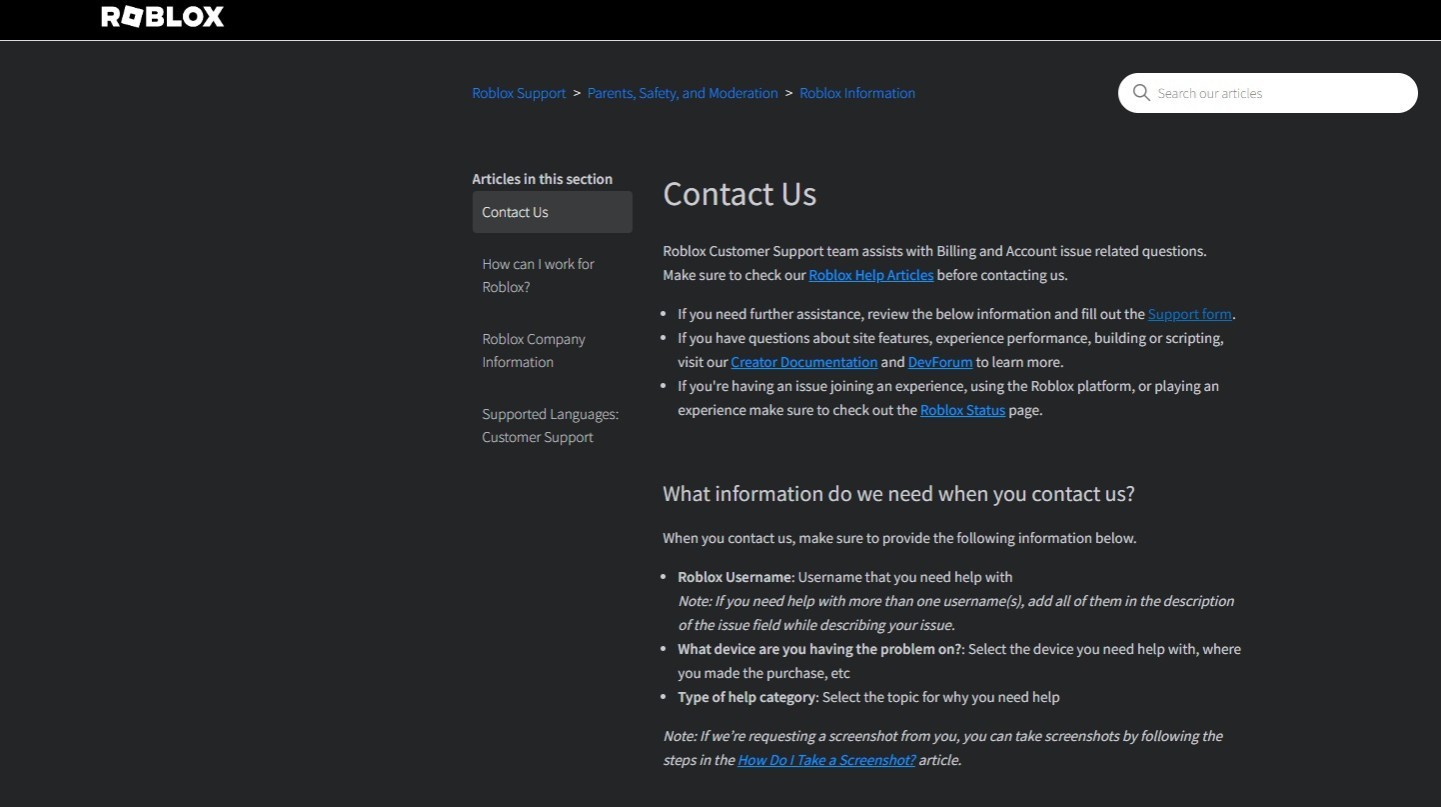
The primary and most effective way to contact Roblox support is through their official online support form on their website. They do not offer a public phone number for direct customer service. You will need to fill out the form with detailed information about your issue, including your username, email, and a clear description of the problem.
Can I Call Roblox Support for Account Recovery?
No, you cannot call Roblox support for account recovery. All account recovery requests must be submitted through the online support form. Be prepared to provide the email address associated with the account, details about when and how the account might have been compromised, and any relevant purchase history to verify ownership.
What is the Fastest Way to Get a Response from Roblox Support?
The fastest way to get a response from Roblox support is to submit a clear, detailed request via their online support form. Ensure you provide all requested information, attach any relevant screenshots or receipts for billing issues, and describe your problem concisely. Submitting multiple requests for the same issue will likely slow down the process.
Where Can I Find the Official Roblox Support Contact Form?
You can find the official Roblox Support Contact Form by visiting the Roblox Help Center (help.roblox.com) and looking for the 'Contact Us' or 'Support' link, usually located at the bottom of the page or in a navigation menu. It will lead you directly to the online submission portal.
Does Roblox Have a Live Chat Feature for Immediate Help?
Currently, Roblox does not offer a live chat feature for immediate customer support. Their primary method of communication is through their email-based ticket system initiated via the online support form. This allows them to manage a high volume of global requests efficiently.
How Can I Report a Player or Content Violation on Roblox?
To report a player or content violation on Roblox, the most effective method is to use the 'Report Abuse' feature available directly within the Roblox game or app. This allows their moderation team to review the specific content or behavior in context. For broader concerns, the online support form can also be used, categorized under 'Report a Violation'.
What Should I Do If I Haven't Received a Reply from Roblox Support?
If you haven't received a reply from Roblox support within a reasonable timeframe (which can be a few business days depending on ticket volume), first check your email's spam or junk folder. If still no response, you can reply to your original confirmation email to inquire about the status, or submit a new request referencing your previous ticket number. Avoid submitting many new requests as it can further delay the process.
Hey fellow gamers! Ever been in the middle of an epic Roblox adventure, only to hit a frustrating snag? Maybe your account got locked, you had an unauthorized purchase, or a technical glitch is ruining your game time. For many of us balancing work, family, and a precious few hours of gaming each week, these issues can be a real headache. You just want a quick, clear solution, not an endless quest to find a contact number. If you're wondering how to call Roblox support, you're not alone. Many US gamers, part of the 87% who game regularly, often seek direct assistance. However, the reality is a bit different from what you might expect when it comes to phone support for Roblox. The good news is there are highly effective ways to get your problems solved.
This comprehensive guide is designed to empower you with the exact steps to navigate Roblox's support system, ensuring your concerns are heard and addressed. We'll demystify the process, from submitting your initial request to tracking its progress, all tailored for busy gamers who value efficiency and direct answers. Forget the hype and misinformation; we're giving you the straight facts and best practices to resolve your Roblox issues quickly and get back to what you love doing.
Does Roblox Offer a Direct Phone Number for Customer Support?
The short and direct answer is no, Roblox does not provide a publicly listed phone number for direct customer support. This is a common point of confusion for many players, especially adults who are used to calling a service number for immediate assistance. Roblox, as a massive online platform with millions of users globally, primarily relies on digital communication channels to manage its vast volume of support requests. This approach allows them to document issues thoroughly and respond systematically. While it might feel less immediate than a phone call, using their designated online methods is the most effective and official way to get help.
How Can I Officially Contact Roblox Support for Account Issues?
For any account-related issues, such as a compromised account, forgotten password, or account bans, the official Roblox Support Form is your go-to. This online portal is specifically designed to collect all the necessary information upfront, which helps their team process your request efficiently. When filling out the form, be as detailed as possible. Include your Roblox username, the email associated with your account, and a clear description of the problem. If your account was compromised, detailing the exact time and nature of the suspicious activity is crucial. Remember, accuracy here directly impacts how quickly your issue can be resolved, allowing you to return to the 10+ hours a week many US gamers spend online.
What Is the Best Way to Report a Billing or Robux Problem to Roblox?
Experiencing an issue with Robux purchases, unauthorized charges, or a payment method problem? Roblox's support form is again the primary channel. When reporting billing or Robux issues, you need to provide specific details. This includes the date and amount of the transaction, the payment method used (e.g., credit card type, PayPal, gift card), and any transaction IDs or confirmation numbers you received. Attaching screenshots of receipts or bank statements can significantly speed up the resolution process. Many adult gamers are vigilant about their spending, especially balancing household budgets, so having a clear process for these types of concerns is invaluable.
Where Can I Find Technical Support for Roblox Game Performance?
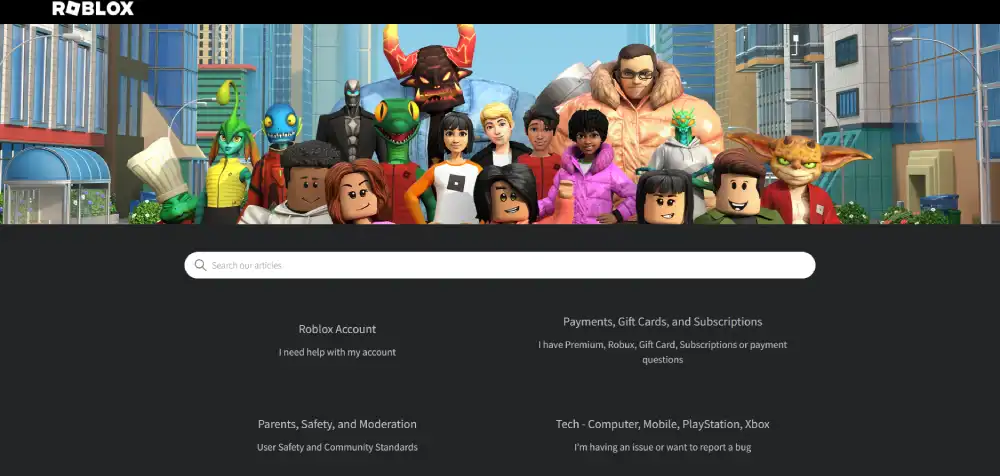
If you're encountering technical problems like game crashes, lag spikes, or installation issues, the Roblox Help Center is an excellent first stop. It's packed with articles and troubleshooting guides for common technical glitches. If the Help Center doesn't resolve your issue, then use the online support form, selecting 'Technical Issues' as your problem category. Describe your hardware (PC, Mac, mobile device), operating system, and any specific error messages you receive. Provide steps you've already taken to troubleshoot. Given the dominance of mobile gaming and cross-play trends, detailing your device type is more important than ever.
Are There Any Alternatives to the Online Support Form for Urgent Issues?
While the online support form is the primary method, Roblox also encourages users to explore their community forums and the Help Center for immediate self-service solutions. The forums can be a great place for peer-to-peer support, especially for common technical questions or game-specific issues, though this isn't an official support channel. For truly urgent security concerns, such as an active account compromise where you cannot access the form, contacting Roblox via a direct email address (often found within their terms of service or privacy policy for legal notices) might be an option, but this is generally reserved for very specific, high-level issues and is not for general customer service. Always prioritize using the official online form first.
How Do I Track the Status of My Roblox Support Request?
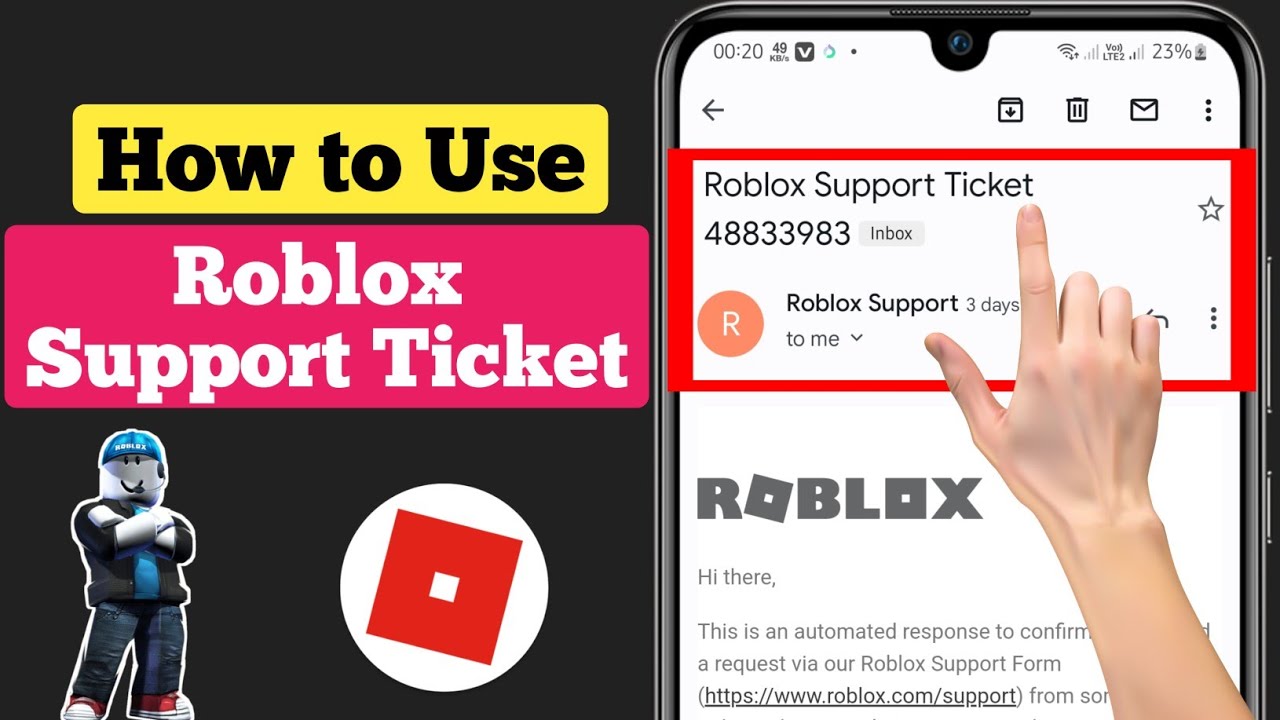
Once you submit a request through the online form, Roblox will typically send an automated email confirmation to the email address you provided. This email usually contains a ticket number. It is crucial to save this number. Any further communication regarding your issue will be through email, and you'll often be asked to reply to the confirmation email to ensure continuity. You cannot track the status of your ticket on the Roblox website directly, so monitoring your inbox (and spam folder!) for replies from Roblox Support is key. Patience is a virtue here, as response times can vary depending on the volume of requests.
What Information Should I Prepare Before Contacting Roblox Support?
Preparation is key for a smooth support experience. Before you even open the support form, gather the following: your Roblox username, the email address linked to your account, the exact nature of your problem (e.g.,
Roblox has no direct phone support. Official contact is via online support form or email. Provide detailed information for faster resolution. Check your email for support replies. Utilize the Roblox Help Center for self-service solutions. Community forums offer peer-to-peer assistance.
35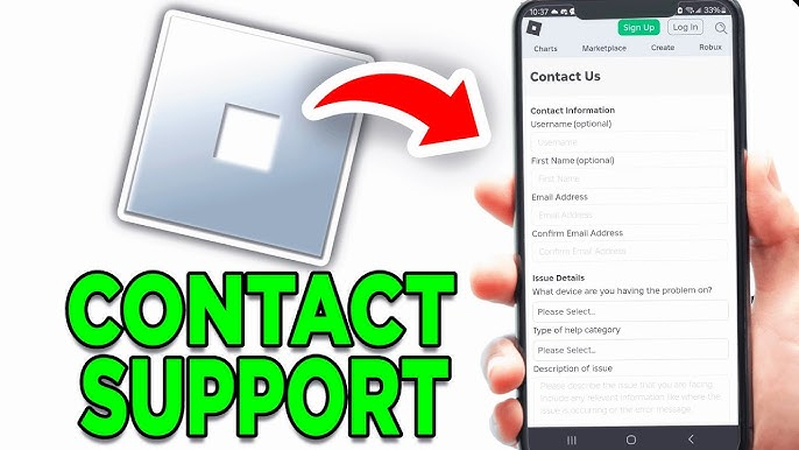


Can You Call Roblox Support For Immediate Help Contact Roblox Support . Roblox Support Ticket Guide How To Get Help Effectively 2026 . How To Contact Roblox Support YouTube . How To Contact Roblox Support Easy YouTube . How To Contact Roblox Support YouTube


How To Contact Roblox Support YouTube . How To Contact Roblox Support Full Guide YouTube . How To Contact Roblox Support Full Guide YouTube . I Bought Robux But Didn T Get It Complete Fix Guide 2026 AxeeTech Roblox Contact Support Missing Robux Form . Can You Call Roblox Support For Immediate Help Contact Roblox




How To Contact Roblox Support YouTube . Roblox Support AI Is It The Future Of Player Assistance How To Contact Roblox. How To Contact Roblox Support A Quick Guide Playbite How To Contact Roblox Support . Roblox Support Ticket Guide How To Get Help Effectively 2026 . Roblox Support Ticket Guide How To Get Help Effectively 2026



How To Send Message To Roblox Support 2024 Contact Roblox Customer . Roblox Support Ticket Guide How To Get Help Effectively 2026 . Roblox Support Ticket Guide How To Get Help Effectively 2026 . How To Message On Roblox 2026 A Quick Guide . Can You Call Roblox Support For Immediate Help Roblox Support Phone Number How To Contact Customer Service 1.webp




How To Contact Roblox Support YouTube . Can You Call Roblox Support For Immediate Help . How To Update Roblox In 2026 Fix Error Code 280 On PC Mobile Xbox Roblox Update It.webp. Can You Call Roblox Support For Immediate Help Send Roblox Support An Email . Roblox Support Ticket Guide How To Get Help Effectively 2026



Roblox Support Ticket Guide How To Get Help Effectively 2026 . How To Contact Roblox Support How To Contact Roblox Support . How To Message On Roblox 2026 A Quick Guide . How To Message On Roblox 2026 A Quick Guide . Roblox Support AI Is It The Future Of Player Assistance Roblox Assistant


Can You Call Roblox Support For Immediate Help 1 . Can You Call Roblox Support For Immediate Help . How To Call Roblox Support H Ng D N Chi Ti T . Can You Call Roblox Support For Immediate Help 1 . How To Email Roblox Support Step By Step YouTube