Unlock superior movement and precision in Roblox with this comprehensive guide on how to shift lock. Learn to activate this essential feature on both PC and mobile devices gaining a significant advantage in various games. This article provides detailed steps troubleshooting tips and advanced techniques for players looking to elevate their gameplay. Master intricate navigation competitive scenarios and social interactions with enhanced control. Discover why Shift Lock is a must-know mechanic for serious Roblox enthusiasts balancing fun with skill building and performance optimization in the current gaming landscape. Stay current with trends and optimize your experience effortlessly.
How does Shift Lock fundamentally alter movement controls in Roblox?
Shift Lock fundamentally alters movement controls in Roblox by decoupling your character's direction of movement from the camera's perspective. Normally, your camera can move freely around your character. With Shift Lock enabled, the camera locks directly behind your character, and your character will always move in the direction the camera is facing. This creates a more precise, almost first-person style of control, allowing for highly accurate navigation and targeting, which is critical in fast-paced or intricate game environments. It streamlines the connection between your input and your character's on-screen action, reducing potential disorientation and improving reaction times.
What types of Roblox games benefit most from using Shift Lock?
Shift Lock is most beneficial in Roblox games that demand high precision movement, accurate targeting, or intricate environmental navigation. This includes games like:
- Obby and Parkour Games: For pixel-perfect jumps and traversing narrow platforms (e.g., Tower of Hell, Mega Fun Obby).
- First-Person Shooter (FPS) and PvP Games: For accurate aiming, strafing, and tracking opponents (e.g., Phantom Forces, Arsenal).
- Sword Fighting and Combat Games: For precise attack and defense maneuvers.
- Platformers and Adventure Games: Where careful movement through complex layouts is required.
Conversely, games focused heavily on vehicle operation, casual roleplay without combat, or broad exploration might not require Shift Lock as much, as a free camera can be more advantageous for general situational awareness.
Is there a specific setting in Roblox that controls Shift Lock, and how do I access it?
Yes, there is a specific setting in Roblox that controls Shift Lock, and it's easily accessible within any game. To access it:
- First, join any Roblox game.
- Press the 'Esc' key on your keyboard if you are on PC, or tap the Roblox icon (usually top-left) if you are on a mobile device. This opens the in-game menu.
- From the menu, navigate to the 'Settings' tab.
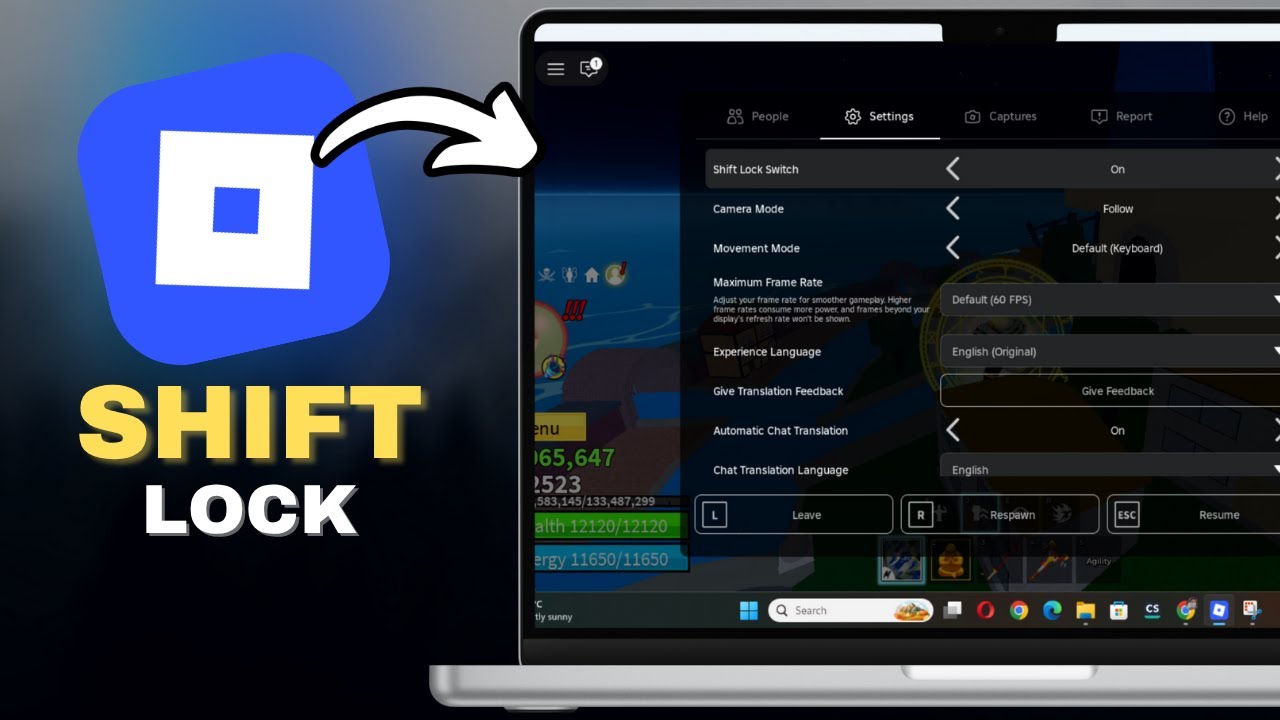
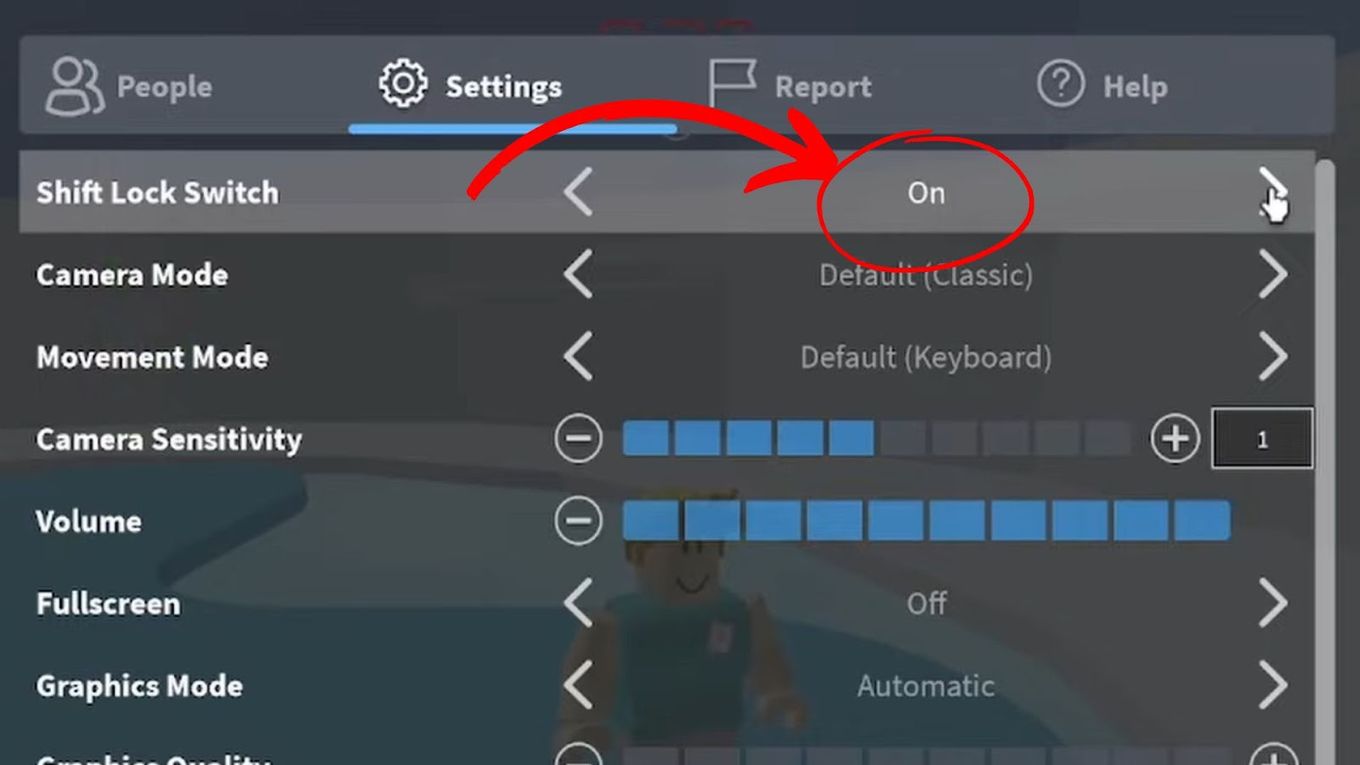
- Within the Settings, look for the option labeled 'Shift Lock Switch'.
- Click or tap this option to toggle it 'On'. Once enabled here, you can then activate/deactivate Shift Lock during gameplay by pressing the 'Shift' key on PC or tapping the dedicated on-screen button on mobile.
Ensuring this setting is 'On' is the foundational step for using Shift Lock effectively in Roblox.
Why would a game developer choose to disable Shift Lock in their Roblox experience?
A Roblox game developer might choose to disable Shift Lock in their experience for several valid reasons, often related to maintaining the intended gameplay mechanics or artistic vision. For instance:
- Custom Camera Systems: The game might feature a unique camera system that conflicts with or supersedes Roblox's default Shift Lock functionality.
- Gameplay Design: The game's design might intentionally rely on free camera movement for specific puzzles, exploration, or to create a certain level of challenge or disorientation.
- Interface Conflicts: The Shift Lock button or its behavior might interfere with other critical UI elements or input methods specific to that game, especially on mobile.
- Performance Optimization: Although rare, in extremely niche cases, disabling it might simplify rendering for very low-end devices if the custom camera is more optimized.
Ultimately, disabling Shift Lock is a design choice by the developer to ensure their game functions as intended, providing a curated experience that may not align with the feature's benefits.
How can I practice and improve my Shift Lock skills effectively in Roblox?
To effectively practice and improve your Shift Lock skills in Roblox, consistency and targeted gameplay are key.
- Play Obby Games: Games like 'Tower of Hell' or 'Mega Easy Obby' are excellent for practicing precise movements and jumps under Shift Lock. Start with easier ones and gradually increase difficulty.
- Engage in PvP Combat: Jump into FPS or sword fighting games (e.g., 'Phantom Forces', 'Arsenal') to hone your aiming, strafing, and situational awareness while in Shift Lock.
- Utilize Creator Games: Some players create 'practice zones' specifically designed for movement and combat training. Search for these in the Roblox game library.
- Focus on Toggling: Practice quickly toggling Shift Lock on and off. There will be times when a free camera is better, and seamlessly switching is a pro skill.
- Observe Pro Players: Watch streamers or videos of skilled Roblox players, especially in competitive games, to see how they utilize Shift Lock for complex maneuvers.
Consistent practice in scenarios where Shift Lock is most beneficial will naturally lead to improved control and mastery.
Are there any common glitches or bugs associated with Shift Lock, and how are they typically resolved?
While Shift Lock is generally stable, players occasionally encounter minor glitches or bugs. Common issues and their resolutions include:
- Shift Lock Not Activating: Often due to the 'Shift Lock Switch' being off in Roblox settings. Check settings (Esc > Settings > Shift Lock Switch 'On').
- On-Screen Button Missing (Mobile): Sometimes the UI element fails to load. Restarting the Roblox app or rejoining the game usually resolves this.
- Camera Getting Stuck: Rarely, the camera might get stuck in a weird position. Toggling Shift Lock off and on, or briefly changing your character's animation (e.g., jumping), can often fix it.
- Input Lag: While Shift Lock itself doesn't cause lag, general game or device lag can make its effects feel unresponsive. Ensure good internet, update drivers, and close background apps.
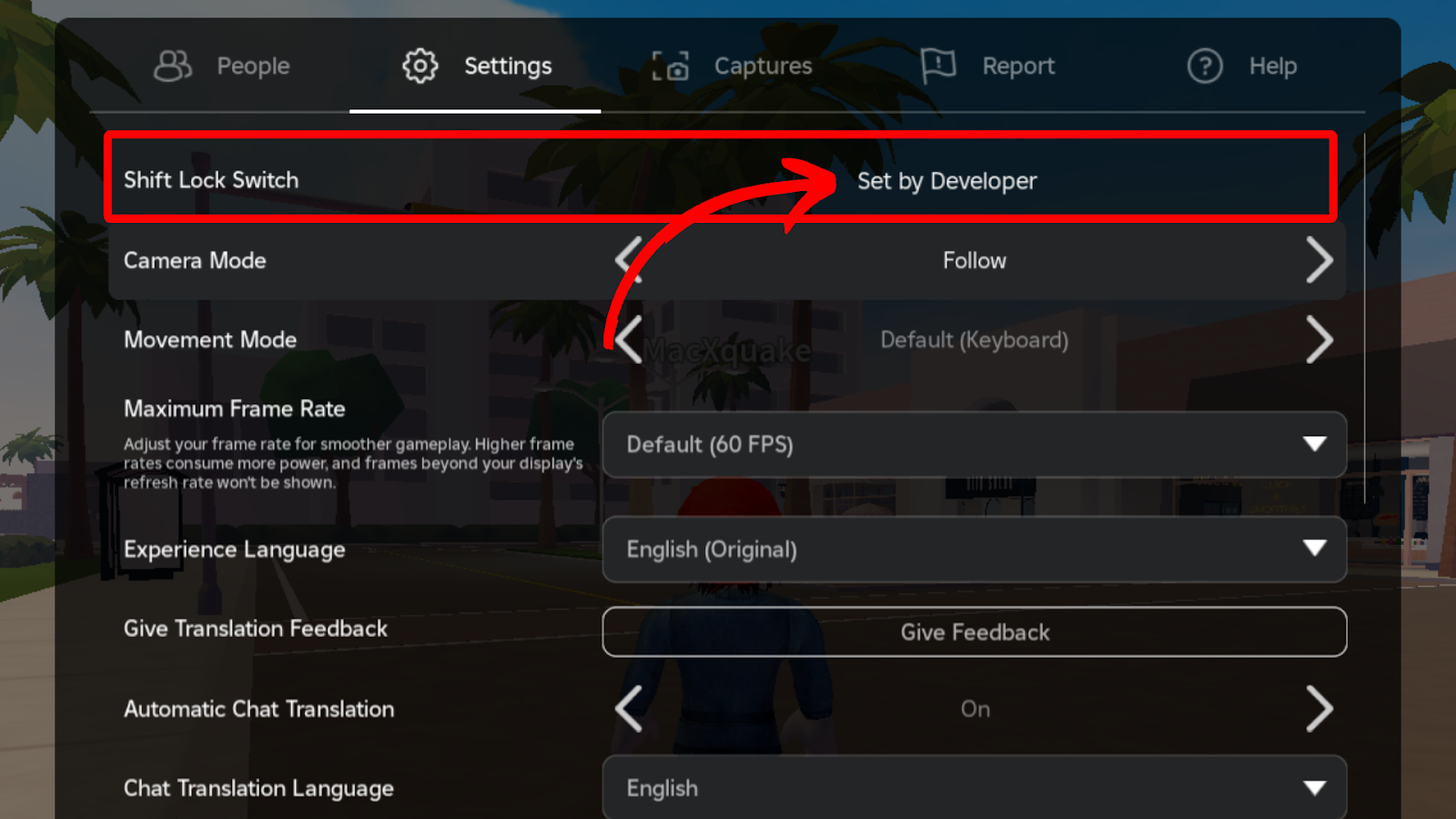
- Game-Specific Conflicts: If it works in some games but not others, it's likely a game developer's choice to disable it, not a bug.
Most Shift Lock issues are temporary client-side glitches resolved by a quick restart or settings check, highlighting Roblox's robust system despite occasional hiccups.
How does Shift Lock enhance competitive play and give an advantage over other players?
Shift Lock significantly enhances competitive play by providing a crucial advantage in several ways, particularly in skill-based Roblox games.
- Superior Aiming Precision: In FPS games, the fixed camera allows for much finer aim adjustments with the mouse, making it easier to track and hit moving targets compared to a free-moving camera.
- Enhanced Movement Control: Players can execute precise strafes, jukes, and dodges, making them harder to hit in combat scenarios. This also applies to navigating complex obstacle courses with greater accuracy.
- Consistent Perspective: It eliminates camera disorientation, allowing players to maintain consistent spatial awareness and focus solely on the game's immediate action without battling an erratic view.
- Quicker Reactions: With a stable camera, players can react faster to threats or opportunities, as their visual field is directly aligned with their character's actions.
- Smoother Mechanics: For games involving intricate mechanics like sword fighting or spell casting, Shift Lock ensures that abilities are aimed and executed exactly where the player intends.
This combination of precision, control, and reduced distraction empowers players to perform at a higher level, often outmaneuvering or outgunning opponents who rely on less controlled camera settings.
Hey fellow gamers! Ever found yourself struggling with precise movement in Roblox, especially in fast-paced obbys or competitive PvP modes? You know the feeling: you’re trying to make that pixel-perfect jump, or juke an opponent, and your camera just won’t cooperate. It’s a common frustration for many of us who balance gaming with life’s demands. We want our limited game time to be efficient, fun, and free of unnecessary headaches. That’s where mastering Shift Lock comes in. It’s a game-changer, offering a level of control that can transform your Roblox experience from clunky to fluid.
For adult gamers, many of whom are around 36 years old and make up about 60% of the gaming population, time is a precious commodity. We value quick wins, effective strategies, and tools that genuinely enhance our play without requiring hours of complicated setup. Shift Lock on Roblox is precisely one of those tools. It's a fundamental mechanic that allows you to lock your camera behind your character, enabling precise, first-person-like movement regardless of your character's orientation. This guide is your no-nonsense, friend-to-friend tutorial to understanding, enabling, and fully utilizing Shift Lock on Roblox, ensuring your virtual adventures are smoother, more precise, and ultimately, more enjoyable. Let's dive in and unlock your true potential in Roblox!
What is Shift Lock on Roblox and Why is it Essential for Gamers?
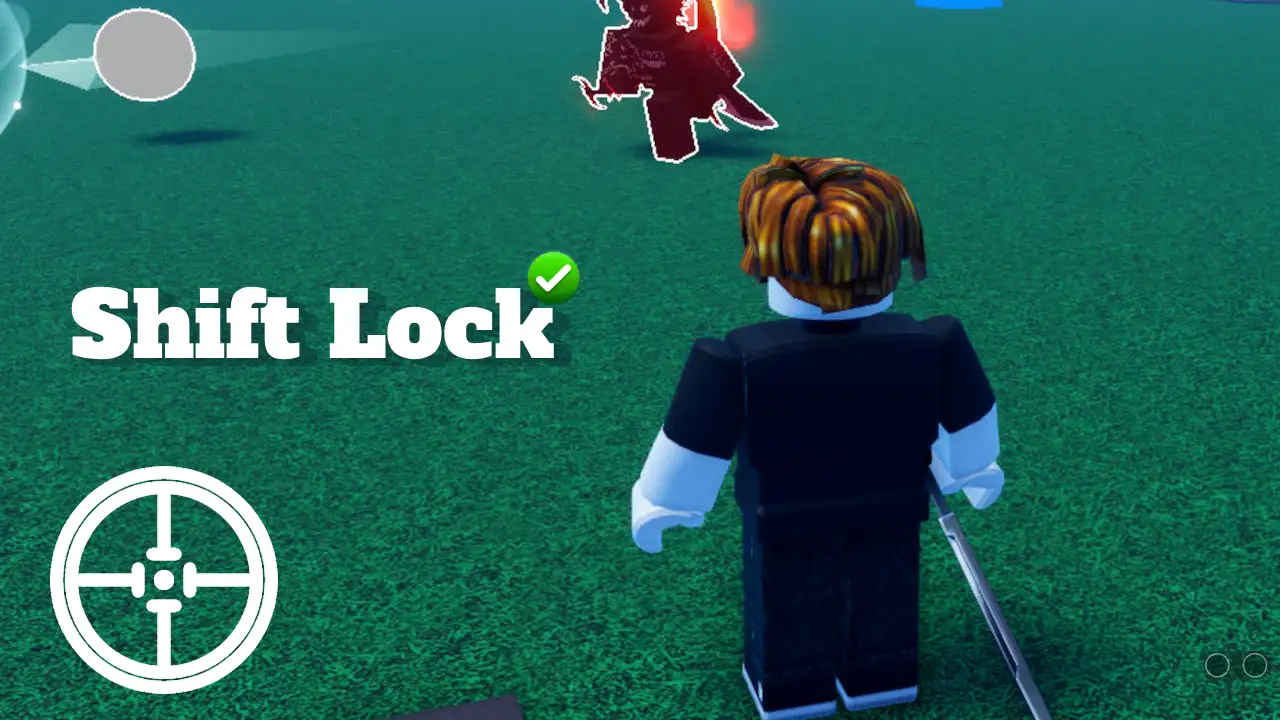
Shift Lock is a Roblox feature that, when activated, locks your camera's perspective directly behind your character. Instead of your camera moving independently or swinging wildly, it becomes fixed, mimicking a more traditional third-person or even first-person control scheme depending on the game. This means that as you move your character, your camera stays focused, making precise navigation significantly easier. Think of it as gaining laser-like focus on your character's movements.
For many gamers, especially those who appreciate skill-building and performance optimization, Shift Lock is essential. It's critical in games requiring intricate movement like parkour, obbies, sword fighting, or competitive shooters. For instance, in games like 'Adopt Me!' or 'Brookhaven,' where social interaction is key, it might not be strictly necessary, but for titles like 'Tower of Hell' or 'Phantom Forces,' it can mean the difference between victory and defeat. Recent US gaming stats show 87% of gamers play regularly, often dedicating 10+ hours a week. Making those hours count means optimizing your controls, and Shift Lock is a prime example of a simple optimization with huge impact.
How Do I Enable Shift Lock on Roblox for PC or Laptop?
Enabling Shift Lock on a PC or laptop is straightforward, but it requires a few steps to ensure it's properly activated both in your game settings and within the specific Roblox experience you're playing.
Here's a simple, step-by-step guide:
Open Roblox: Launch the Roblox player and join any game.
Access Game Settings: Once in-game, press the 'Esc' key on your keyboard. This will open the Roblox menu.
Navigate to Settings: In the menu, click on the 'Settings' tab. You'll see various options related to your gameplay experience.
Toggle Shift Lock Switch: Look for the option labeled 'Shift Lock Switch'. By default, it might be set to 'Off'. Click on it to change it to 'On'.
Resume Game: Close the settings menu and return to your game.
Activate with Shift Key: Now, whenever you want to use Shift Lock, simply press the 'Shift' key on your keyboard. Pressing 'Shift' again will toggle it off. You'll notice your camera snapping behind your character, giving you that enhanced precision.
It's a quick adjustment that can dramatically improve your control, especially for the many adult gamers who prefer the precision of a keyboard and mouse.
Can You Use Shift Lock on Roblox Mobile Devices?
Yes, absolutely! While Shift Lock is traditionally associated with PC gameplay, Roblox has evolved to support mobile users, a growing segment of the gaming community, especially given the mobile dominance in current gaming trends. Enabling Shift Lock on a phone or tablet functions a bit differently but offers similar benefits for precise control.
Here’s how to get it working on your mobile device:
Launch Roblox App: Open the Roblox application on your iOS or Android device.
Join a Game: Enter any Roblox experience.
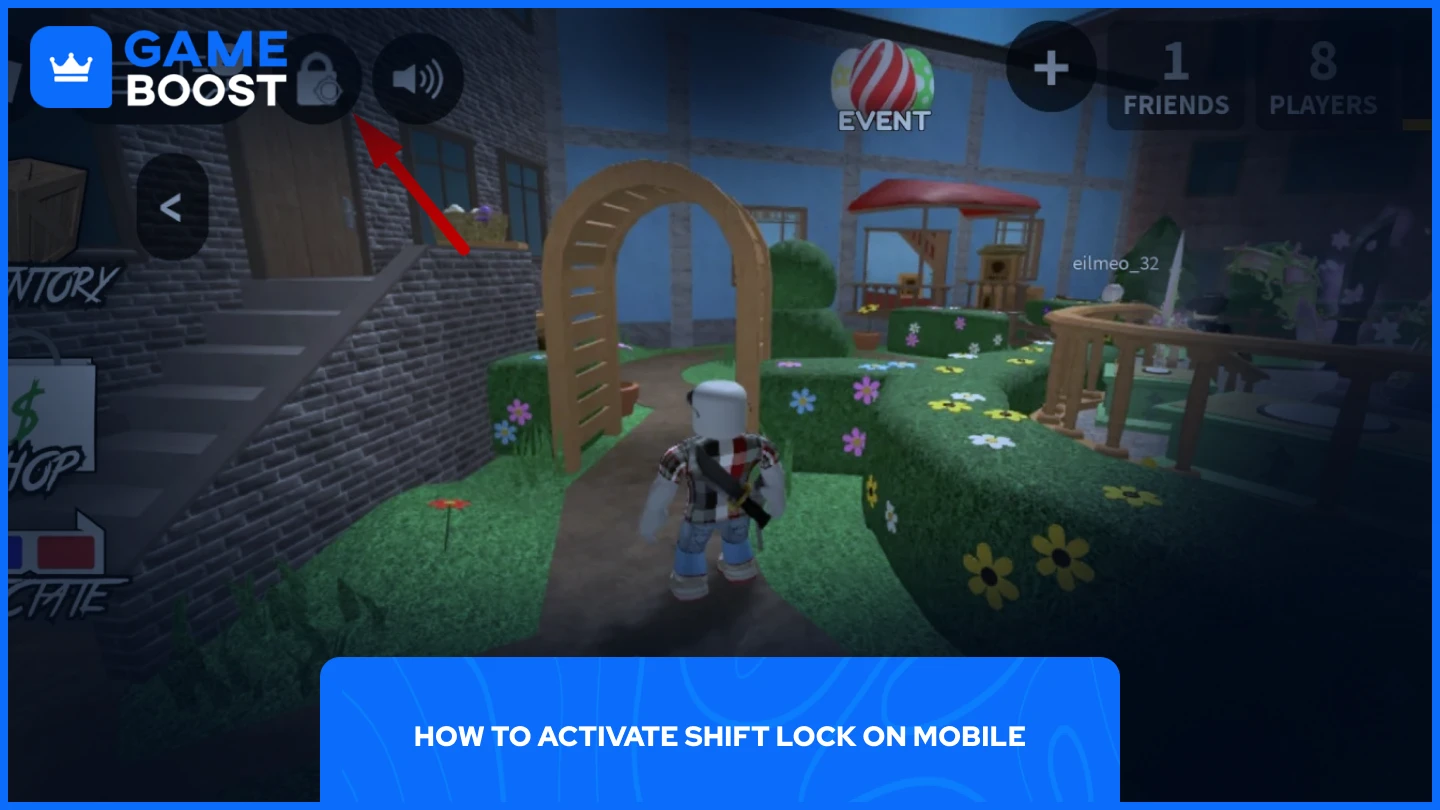
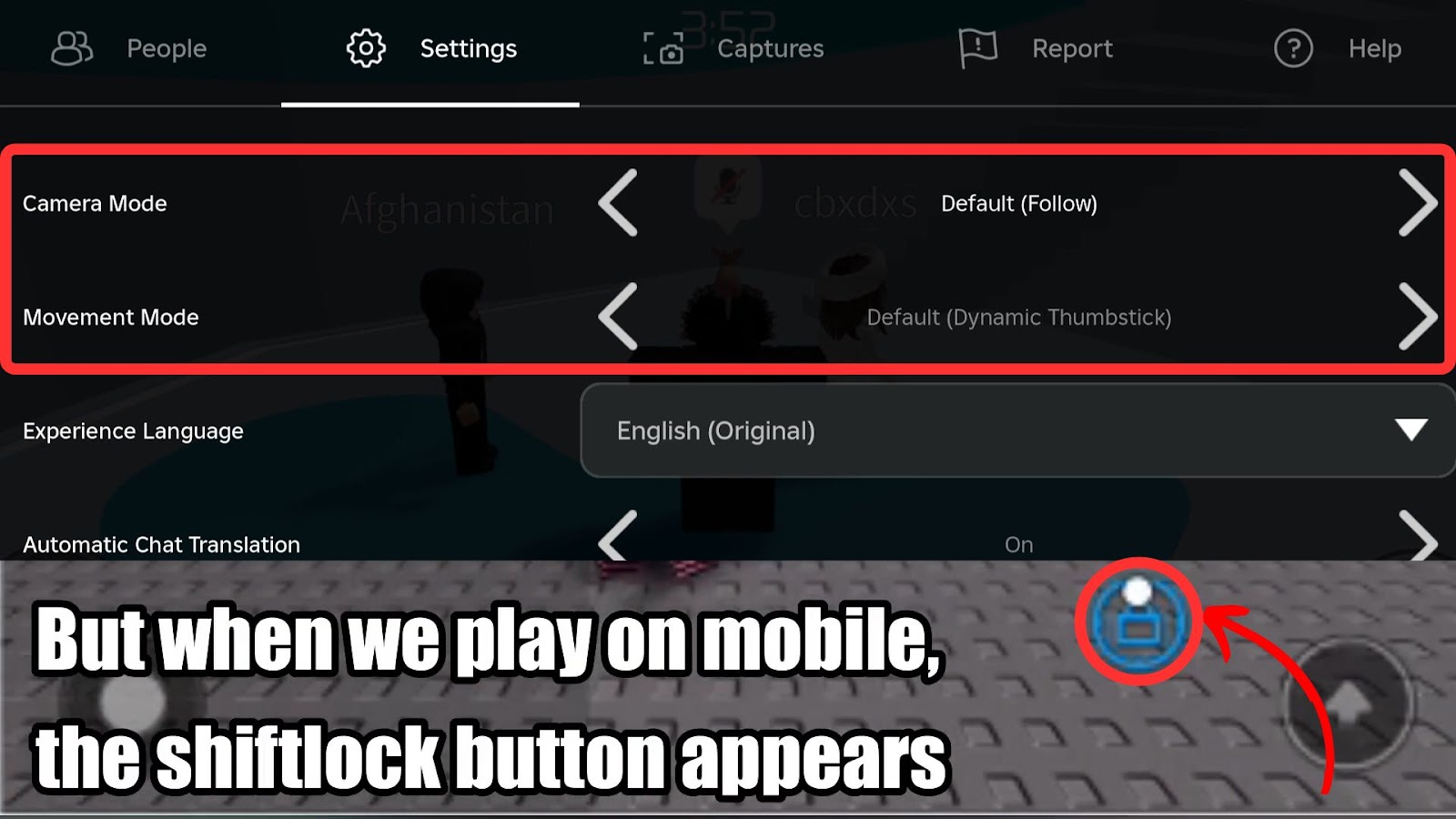
Open Game Menu: Tap the Roblox icon (usually in the top-left corner) to open the in-game menu.
Go to Settings: Select 'Settings' from the menu options.
Enable Shift Lock Switch: Scroll down until you find 'Shift Lock Switch' and toggle it 'On'.
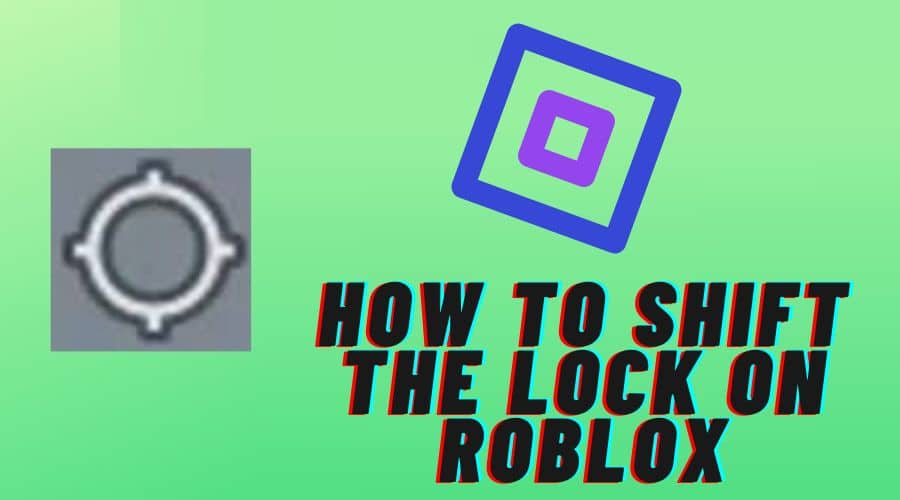
Look for the Button: After enabling it in settings, you will typically see a dedicated 'Shift Lock' button appear on your screen during gameplay. It's often a small circular icon, sometimes with an arrow or lock symbol.
Tap to Activate: Tap this on-screen button to toggle Shift Lock on or off. You'll notice your camera behavior changes to a more fixed perspective.
Keep in mind that some older or less optimized mobile games on Roblox might not fully support the on-screen Shift Lock button, or its placement might vary. However, for most modern and popular experiences, it should be readily available, empowering mobile players to perform complex maneuvers with greater ease.
Why Is My Shift Lock Not Working in Roblox? Common Troubleshooting Steps.
It's frustrating when a feature you rely on suddenly stops working. If you're having trouble with Shift Lock on Roblox, don't worry, many common issues have simple solutions. We've all been there, trying to figure out why a game isn't behaving as expected, especially when balancing limited playtime.
Here are the most common reasons Shift Lock might not be activating and how to fix them:
Game Settings Not Enabled: The most frequent culprit. Did you remember to enable 'Shift Lock Switch' in your Roblox settings (Esc > Settings > Shift Lock Switch 'On')? Even if you've done it before, a game update or client issue can sometimes reset it. Always double-check this first.
Specific Game Restrictions: Not all Roblox experiences support Shift Lock. Some game creators disable it intentionally if it conflicts with their game's mechanics or camera system. If Shift Lock works in one game but not another, this is likely the reason. There's usually no fix other than accepting the game's design.
Keyboard Issues (PC): Is your physical Shift key working correctly? Try pressing it in a text editor outside Roblox to confirm. If it's sticky or unresponsive, that's your problem. A simple keyboard clean or replacement might be necessary.
Roblox Client Glitch: Sometimes, the Roblox client itself can have a temporary bug. Try fully closing Roblox (including the client and any background processes) and reopening it. A quick restart often resolves minor software glitches.
Outdated Graphics Drivers (PC): While less common for Shift Lock specifically, outdated graphics drivers can cause unexpected behavior in games. Ensure your GPU drivers are up-to-date. This is good practice for overall gaming performance anyway.
Mobile On-Screen Button Missing: On mobile, if the in-game button isn't appearing, try restarting the app or re-entering the game. Sometimes, a UI element might fail to load properly on first entry.
By systematically checking these points, you can quickly identify and resolve most Shift Lock issues, getting you back to precise movement in no time. Remember, the goal is smooth, uninterrupted gameplay for maximum enjoyment and skill development.
What are Advanced Shift Lock Techniques and When Should I Use Them?
Once you've mastered the basics of enabling and toggling Shift Lock, you can start exploring advanced techniques that truly elevate your gameplay. For adult gamers who value efficiency and skill, understanding these nuances can be a real competitive edge, letting you dominate leaderboards or simply enjoy complex challenges more fully.
Advanced Techniques:
Obby Optimization: In complex obbies (obstacle courses), Shift Lock combined with precise jump timing allows for pixel-perfect landings and navigation of narrow platforms. You can often make jumps that would be incredibly difficult with a free camera.
PvP Precision: In games like 'Phantom Forces' or 'Arsenal', Shift Lock grants superior aiming and strafing capabilities. It's easier to track opponents while moving erratically, making you a harder target to hit and a more accurate shot.
Building and Creation: For creators, Shift Lock can be invaluable for precise placement of objects, especially when building intricate structures or detailing environments. The fixed camera provides a steady hand.
Exploration and Lore: In story-rich or exploration-focused games, Shift Lock can help you navigate dense environments and discover hidden details by allowing you to focus on your character's immediate surroundings without camera distraction.
When to Use Them:
Use Shift Lock primarily in scenarios that demand high precision and controlled movement. This includes:
Games with intricate platforming (e.g., 'Tower of Hell', 'Mega Easy Obby').
First-person or third-person shooter games (e.g., 'Phantom Forces', 'Arsenal').
Sword fighting or melee combat games (e.g., 'Sword Fighting Tournament', 'Katana Simulator').
Any game where looking around quickly without moving your character's direction is crucial for situational awareness.
Conversely, in games that emphasize broad exploration, vehicle driving, or cinematic views (e.g., 'Jailbreak' for driving, or 'Welcome to Bloxburg' for casual building), Shift Lock might be less beneficial or even cumbersome. Knowing when to toggle it on and off dynamically is key to truly mastering this feature.
How Does Shift Lock Contribute to a Better Social Gaming Experience?
While often highlighted for its combat and platforming benefits, Shift Lock also plays a subtle yet significant role in enhancing social gaming experiences, especially for adults who use games for relaxation and connecting with friends. With social gaming being a massive trend this month, and US gamers heavily engaged, anything that streamlines interaction is a win.
Here's how Shift Lock contributes to a better social experience:
Easier Navigation in Crowded Hubs: Imagine trying to find your friends in a bustling Roblox city or a popular event hub. With Shift Lock, you can navigate through crowds with greater precision, preventing accidental clicks on other players or objects. This makes meeting up with your squad much less frustrating.
Smoother Roleplay and Skits: For roleplaying games or creating short skits with friends, precise character movement and camera control are invaluable. Shift Lock allows you to hit your marks accurately, perform emotes precisely, and maintain visual continuity, making your collaborative storytelling more immersive and professional-looking. This enhances the fun of shared creative play.
Reduced Frustration, More Fun: When your character's movement is clunky, it detracts from the overall enjoyment. Shift Lock reduces this friction, allowing you to focus more on interacting with friends, participating in mini-games, or exploring together without battling your controls. This translates directly into a more relaxed and fun social session, which is what many adult gamers seek.
Better Observation and Spectatorship: In games where you might be spectating friends or observing events, Shift Lock can help you maintain a stable view of the action. You can move your character to get a better vantage point without your camera wildly shifting, making it easier to follow discussions or cheer on your teammates.
Ultimately, by providing greater control and reducing common gameplay frustrations, Shift Lock indirectly supports a more fluid and enjoyable social environment. It allows players to concentrate on connection and collaboration rather than fighting the game's mechanics.
Does Using Shift Lock Impact Roblox Game Performance?
This is a common and excellent question, especially for gamers who are conscious about performance optimization and might be playing on older hardware or mobile devices to balance budget constraints. The good news is that enabling and using Shift Lock on Roblox generally has a negligible impact on game performance.
Minimal Resource Usage: Shift Lock is a client-side camera control feature. It doesn't introduce complex graphical effects, extensive physics calculations, or heavy processing demands. It merely alters how your existing camera system behaves, which requires very minimal additional computational resources.
May Even Feel Smoother: In some cases, because the camera movement becomes more predictable and less erratic, players might even perceive a slight improvement in overall smoothness, particularly if they previously experienced disorientation from a free-moving camera. This isn't a true FPS boost, but a quality-of-life improvement that makes the game feel more stable.
Network and Hardware are Key: Actual game performance in Roblox is overwhelmingly influenced by factors such as your internet connection, your device's CPU and GPU, and the complexity of the specific Roblox game you are playing. A poorly optimized game, a slow internet connection, or an aging device will have a far greater impact on your frame rate and latency than whether Shift Lock is enabled.
So, you can confidently use Shift Lock without fear of negatively impacting your game's frame rate or causing lag. It's a pure gameplay enhancement that works within the existing system. Focus on keeping your drivers updated, your internet stable, and selecting well-optimized games for the best performance.
Can I Customize Shift Lock Controls on Roblox?
For PC gamers, customization is often key to a comfortable and efficient setup. While Roblox itself offers a good degree of flexibility, the customization options specifically for the Shift Lock toggle key are somewhat limited within the standard in-game settings. By default, it's hardwired to the 'Shift' key.
Here's the breakdown:
Default Key (PC): The primary key for activating and deactivating Shift Lock on PC is the 'Shift' key (either left or right). This cannot be remapped directly through the standard Roblox in-game settings menu.
Developer-Defined Controls: Some Roblox experiences (games) might include custom control remapping options implemented by the game developer. In such cases, the developer might offer an alternative keybinding for camera lock or similar features, but this is specific to the individual game and not a universal Roblox setting.
Third-Party Software (PC - Use with Caution): Advanced PC users sometimes employ third-party remapping software (like AutoHotkey or specific keyboard utility software from manufacturers like Logitech or Razer) to remap keys globally or for specific applications. You could theoretically remap another key to act as 'Shift' when Roblox is active, thereby effectively changing the Shift Lock key. However, this method comes with caveats:
It's outside Roblox's official support and might conflict with other applications.
Always ensure any third-party software you use is reputable to avoid security risks.
Mobile Customization: On mobile devices, the Shift Lock button is an on-screen UI element. Its position is typically determined by the game developer or the Roblox app's default UI layout. There are generally no direct customization options for its placement or appearance by the user.
For most players, adapting to the default 'Shift' key on PC is the most straightforward approach. If you find it genuinely uncomfortable, exploring third-party key remapping is an option, but proceed with awareness of its limitations and potential complexities. Remember, the goal is comfortable and effective play!
FAQ Section
We know you might have a few quick questions left, so here are some rapid-fire answers to commonly asked queries about Shift Lock on Roblox, designed for busy gamers who want quick solutions.
What is the main benefit of using Shift Lock?
The main benefit of using Shift Lock is significantly improved precision and control over your character's movement by locking the camera behind them. This makes navigating difficult areas and performing precise actions much easier.
Is Shift Lock available in all Roblox games?
No, Shift Lock is not available in all Roblox games. While it's a core Roblox feature, game developers can choose to disable it if it conflicts with their game's specific mechanics or design. Most popular games do support it.
Does Shift Lock work on tablets like an iPad?
Yes, Shift Lock does work on tablets, including iPads. You need to enable it in the in-game settings, and then a dedicated on-screen button will appear for you to toggle it on and off during gameplay.
Can I use Shift Lock with a game controller on PC or mobile?
While Roblox supports game controllers, the direct Shift Lock toggle is typically tied to the keyboard (Shift key) or an on-screen button for mobile. Some games might map a controller button to a similar camera lock function, but it's not a universal Roblox setting for controllers.
Why does my character walk slower with Shift Lock enabled?
Your character doesn't actually walk slower with Shift Lock enabled. The perception of slower movement might come from the fixed camera perspective, which can make speeds feel different compared to a free-moving camera. It's an optical illusion due to the altered field of view.
Is Shift Lock helpful for beginners in Roblox?
Yes, Shift Lock is incredibly helpful for beginners in Roblox. It simplifies camera control, allowing new players to focus more on learning game mechanics and movement fundamentals without battling a disorienting camera, leading to a much smoother learning curve.
Are there any downsides to using Shift Lock?
The main 'downside' is that it fixes your camera behind your character, which means you can't freely look around without turning your character. This can sometimes limit peripheral vision, especially in open-world games where situational awareness in all directions is key. However, toggling it off quickly resolves this.
So there you have it, fellow gamers! Mastering Shift Lock on Roblox is a simple yet powerful way to enhance your gameplay, whether you're tackling tricky obbys, engaging in intense PvP, or just navigating social spaces with ease. For us busy adults, optimizations like this mean more fun in less time, making every gaming session more rewarding. Don't let clunky controls hold you back from enjoying your favorite Roblox experiences. Enable Shift Lock, practice a bit, and feel the difference!
What's your biggest Roblox movement challenge? Share your tips or questions below! Happy gaming!
Enable Shift Lock on PC and mobile devices Understand its benefits for precise movement Improve gameplay in competitive Roblox titles Troubleshoot common Shift Lock issues Learn advanced techniques for enhanced control.
35


How To Use Shift Lock In Roblox Xbox 2026 UPDATED GUIDE YouTube . How To Shift Lock In Roblox PC In SECONDS YouTube . EASY How To FIX SHIFT LOCK Bug In Roblox Not Working PC 2026 YouTube . How To Enable Shift Lock On Roblox Mobile March 2026 Guide How To Enable Shift Lock On Roblox Mobile . How To Enable Shift Lock On Roblox Mobile March 2026 Full Guide Enable Shift Lock On Roblox Mobile



How To Enable Shift Lock On Roblox YouTube . How To Enable Shift Lock In Roblox PC Quick Easy Method YouTube . How To Enable Shift Lock In Roblox Steal A Brainrot Full Guide YouTube . How To Shift Lock On Roblox How To Fix If Not Working Alvaro Toggle The Turn On Button . How To Enable Shift Lock On Roblox YouTube


How To Get Shift Lock On Roblox Mobile 2026 Complete Guide YouTube . How To Shift Lock In Roblox PC YouTube . How To Get Shift Lock On Roblox Xbox 2026 EASY GUIDE YouTube . How To Change Roblox Shift Lock Cursor 2026 Guide YouTube . How To Shift Lock In Locked 2 May 2026 Expert Guide How To Shift Lock In Locked 2 Guide



How To Enable Shift Lock In Roblox Step By Step Guide 6dad346d B853 4217 A7ec. How To Shift Lock On Roblox How To Fix If Not Working Alvaro Unnamed File 22 . How To Get Or Enable Shift Lock On Roblox Mobile And PC 2026 Techy Get Enable Shift Lock Roblox Mobile Pc.webp. Custom Cursor On Roblox Shift Lock How To Change Your Roblox . How To Do Shift Lock On Roblox Windows Mac 2026 YouTube


How To Put Screen Time On Samsung Tablet Dibujos Cute Para Imprimir . How To Enable Shift Lock In Roblox Step By Step Guide 27be1944 D154 4947 9deb Webp.webp. How To Shift Lock In Roblox FAST And EASY YouTube . How To Get Shift Lock In Steal A Brainrot Roblox 2026 Updated Way . How To Enable Shift Lock In Roblox Step By Step Guide 1fd75767 7800 4c5d Ba4e

How To Shift Lock On Roblox 2023 Guide Ricky Spears How To Shift The Lock On Roblox . How To Shift Lock In Locked 2 April 2026 Ultimate Guide How To Shift Lock In Locked 2 . Unlock Your Roblox Potential Shift Lock Guide Sddefault . How To Lock Screen In Roblox PC H Ng D N Chi Ti T V C C M O T I U V4 460px Shift Lock On Roblox Step 9 . Roblox Shift Lock Not Working Here S How To Fix It Roblox Shift Lock Not Working How To Fix


How To Shift Lock On Roblox How To Fix If Not Working Alvaro Unnamed File 139 . How To Fix Roblox Shift Lock Not Working 2026 YouTube . How To Turn On SHIFT LOCK On Roblox Use Roblox Shift LOCK Tutorial . How To Activate Shift Lock In Roblox 2026 Tutorial YouTube . How To Turn On Shift Lock On Roblox Sddefault